58
Camera Controls
Using the Menus
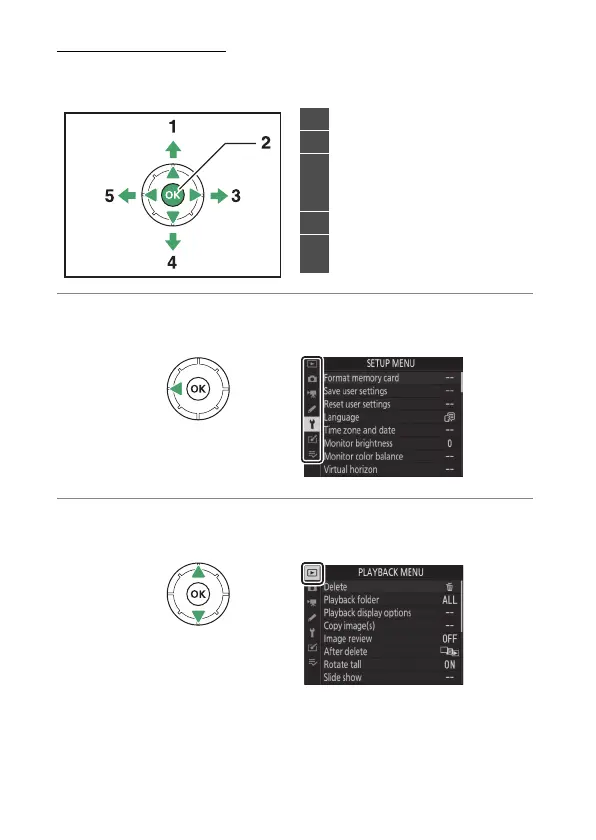
You can navigate the menus using the multi selector and
J
button.
1
Highlight the icon for the current menu.
Press
4
to highlight the icon for the current menu.
2
Select a menu.
Press
1
or
3
to select the desired menu.
1
Move cursor up
2
Select highlighted item
3
Display sub-menu, select
highlighted item, or move
cursor right
4
Move cursor down
5
Cancel and return to previous
menu, or move cursor left



 To Next Page