745
Menu Guide >
O
MY MENU/
m
RECENT SETTINGS
O
My Menu: Creating a Custom Menu
My Menu can be used to create and edit a customized list of up
to 20 items from the playback, photo shooting, movie shooting,
Custom Settings, setup, and retouch menus. Items can be
added, deleted, and reordered as described below.
❚❚
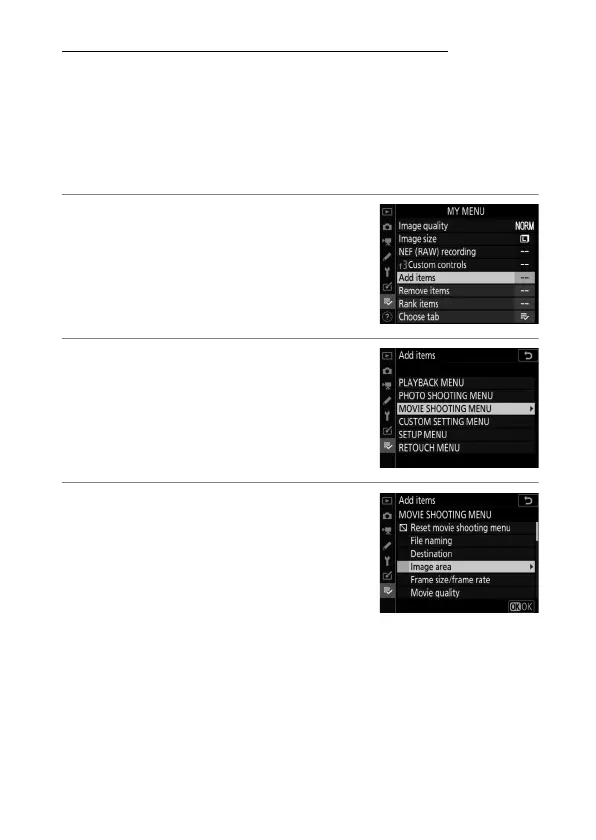
Adding Items to My Menu
1
Select [Add items] in [
O
MY
MENU].
Highlight [Add items] and press
2
.
2
Select a menu.
Highlight the name of the menu
containing the item you wish to add
and press
2
.
3
Select an item.
Highlight the desired menu item and
press
J
.



 To Next Page