56
Basic Photography and Playback
Deleting Unwanted Pictures
Pictures can be deleted as described below. Note that once
deleted, pictures cannot be recovered.
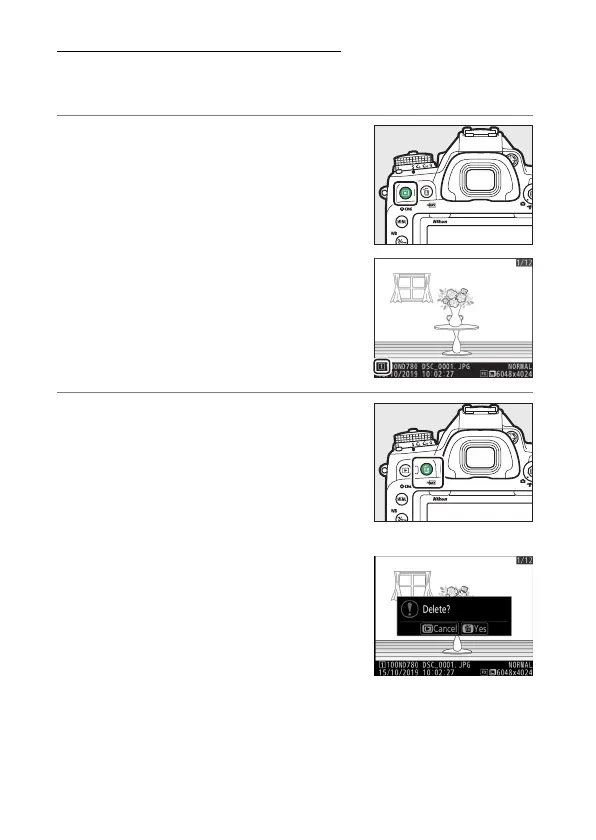
1
Display the picture.
•
Press the
K
button to start
playback and press
4
or
2
until the
desired picture is displayed.
•
The location of the current image
is shown by an icon at the bottom
left corner of the display.
2
Delete the picture
•
Press the
O
(
Q
) button; a
confirmation dialog will be
displayed. Press the
O
(
Q
) button
again to delete the image and
return to playback.
•
To exit without deleting the
picture, press
K
.



 To Next Page