738
Menu Guide >
N
The Retouch Menu
Lighten and Darken
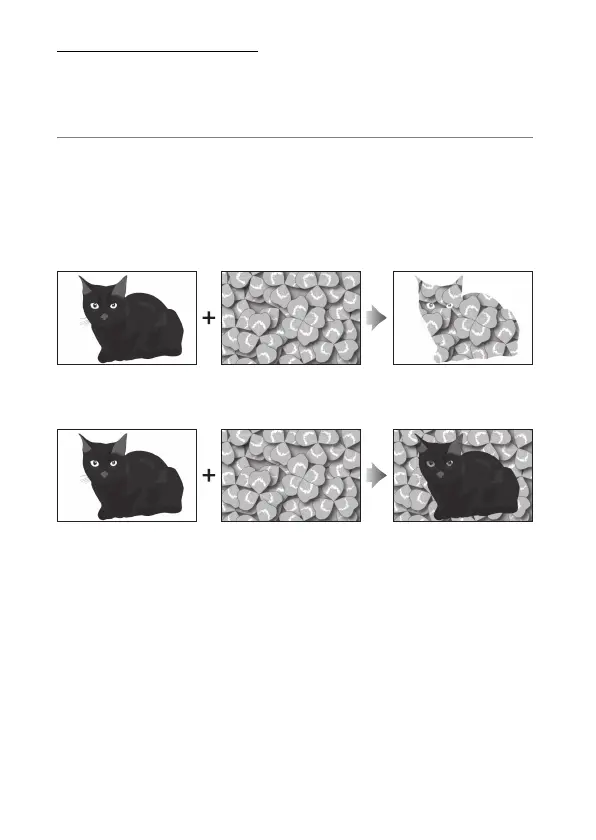
The camera compares multiple selected pictures and selects
only the brightest or darkest pixels at each point in the image to
create a single new JPEG copy.
1
Select [Lighten] or [Darken].
After selecting [Image overlay] in the retouch menu,
highlight either [Lighten] or [Darken] and press
2
.
•
Lighten: The camera compares the pixels in each picture
and uses only the brightest.
•
Darken: The camera compares the pixels in each picture
and uses only the darkest.



 To Next Page