94
Camera Controls
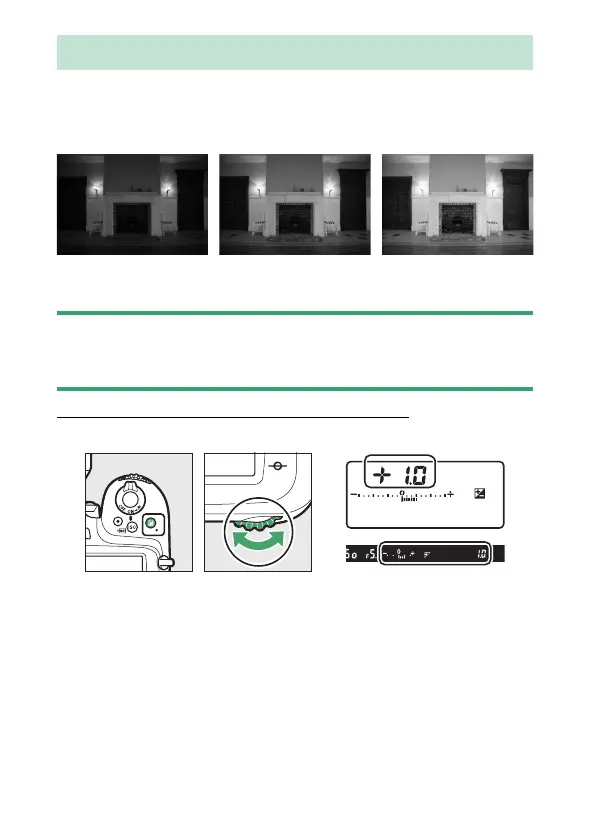
Use the
E
(exposure compensation) button to alter exposure
from the value suggested by the camera. Exposure
compensation can be used to make pictures brighter or darker.
D
The
E
Button
The
E
button may be disabled in some shooting modes or when certain
conditions apply.
Adjusting Exposure Compensation
Hold the
E
button and rotate the main command dial.
•
Higher values make the subject brighter, lower values darker.
•
Normal exposure can be restored by setting exposure
compensation to ±0.0. Exposure compensation is not reset
when the camera is turned off.
The
E
Button
−1 EV No exposure
compensation
+1 EV



 To Next Page