7
Getting to Know the Camera
The Power Switch
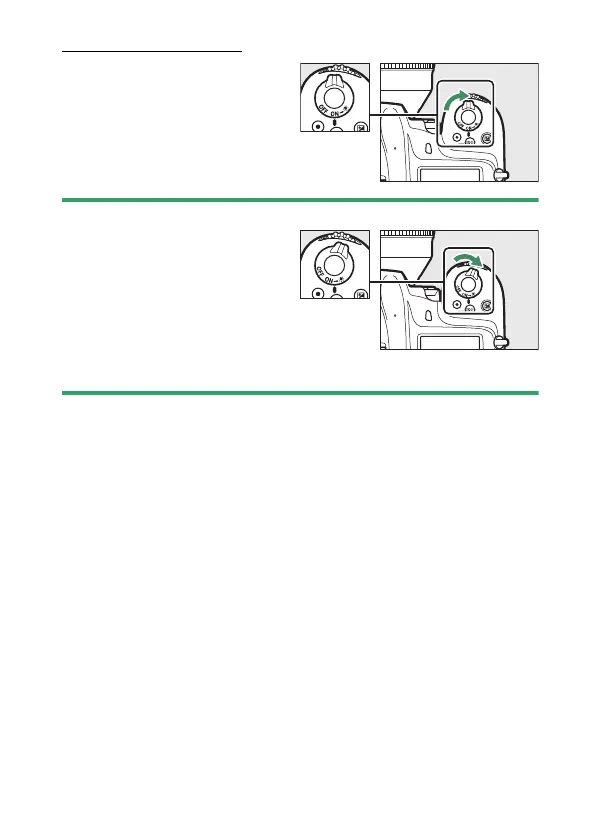
Rotate the power switch to
the “ON” position as shown to
turn the camera on. Returning
the switch to the “OFF”
position turns the camera off.
D
The LCD Illuminator
Rotating the power switch to
D
activates the control panel
backlight (LCD illuminator). The
backlight will remain lit for a few
seconds after the power switch is
released. The backlight turns off
when the switch is rotated to
D
a
second time or the shutter is released.



 To Next Page