456
Network Connections
Connecting Using the WT-7
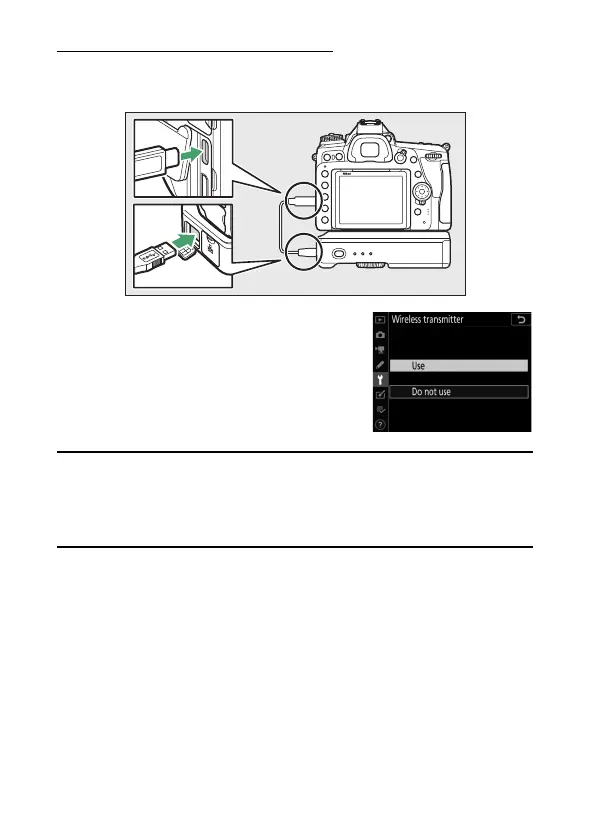
Connect the WT-7 using the USB cable supplied with the
camera.
Turn the transmitter on and select
[Wireless transmitter (WT-7)]>
[Wireless transmitter]> [Use] in the
camera setup menu.
A
Menu Items for the WT-7
All menu items for the WT-7 can be found in the setup menu under
[Wireless transmitter (WT-7)]. For more information, see the manual
provided with the WT-7.
See the manual provided with the WT-7 for more
information.



 To Next Page