63
Camera Controls
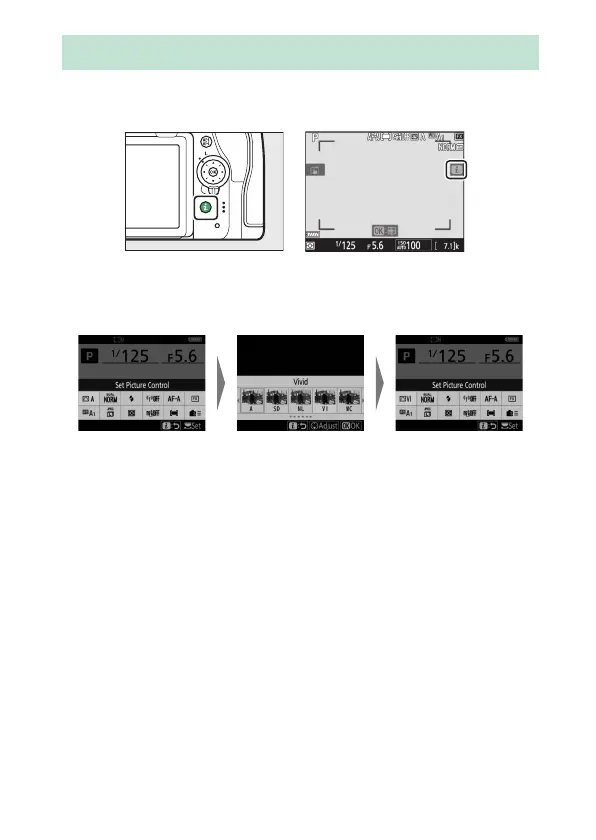
For quick access to frequently-used settings, press the
i
button
or tap the
i
icon in the live-view display to view the
i
menu.
•
Highlight items using the multi selector and press
J
to view
options. Highlight the desired option and press
J
to select
and return to the
i
menu.
•
To cancel and return to the previous display, press the
i
button.
•
Different menus are displayed during viewfinder
photography, live view, and movie recording.
The
i
Button (the
i
Menu)



 To Next Page