463
On-Camera Flash Photography
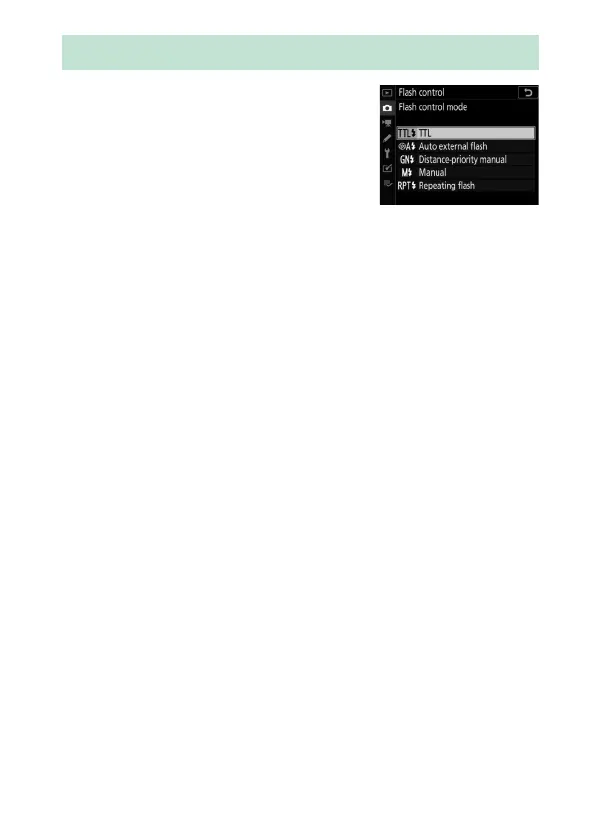
When a flash unit that supports unified
flash control (an SB-5000, SB-500,
SB-400, or SB-300) is mounted on the
camera, the flash control mode, flash
level, and other flash settings can be
adjusted using the [Flash control]>
[Flash control mode] item in the photo shooting menu (in the
case of the SB-5000, these settings can also be adjusted using
the controls on the flash unit). The options available vary with
the flash used, while the options displayed under [Flash control
mode] vary with the mode selected. Settings for other flash
units can only be adjusted using flash unit controls.
•
[TTL]: i-TTL mode. In the cases of the SB-500, SB-400, and
SB-300, flash compensation can be adjusted holding the
c
(
Y
) button and rotating the sub-command dial.
•
[Auto external flash]: In this mode, output is adjusted
automatically according to the amount of light reflected by
the subject; flash compensation is also available. Auto external
flash supports “auto aperture” (
q
A) and “non-TTL auto” (A)
modes. See the flash unit manual for details.
Flash Control Mode



 To Next Page