25
First Steps
Attaching a Lens
•
The lens generally used in this manual for illustrative purposes
is an AF-S NIKKOR 24–120mm f/4G ED VR.
•
Be careful to prevent dust entering the camera.
•
Confirm that the camera is off before attaching the lens.
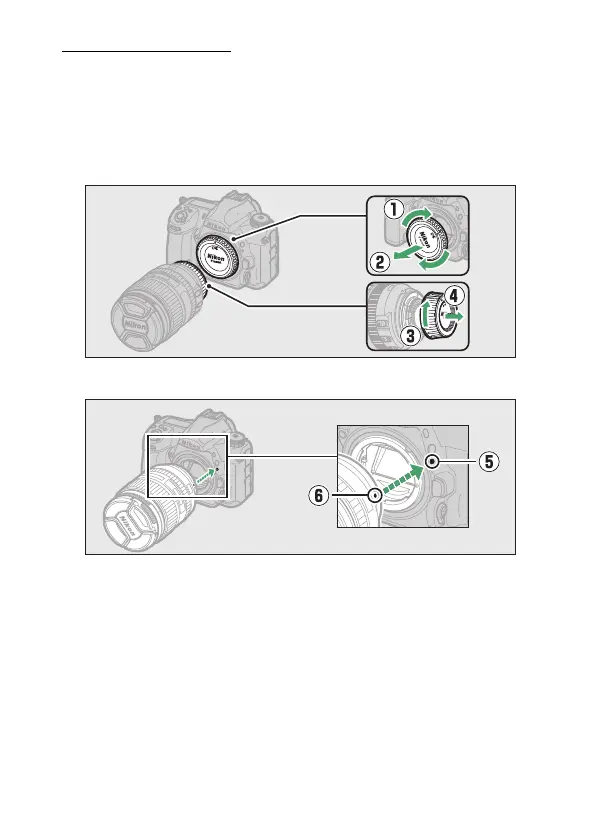
- Remove the camera body cap (
q
,
w
) and rear lens cap (
e
,
r
).
- Align the mounting marks on the camera (
t
) and lens (
y
).



 To Next Page