12
Getting to Know the Camera
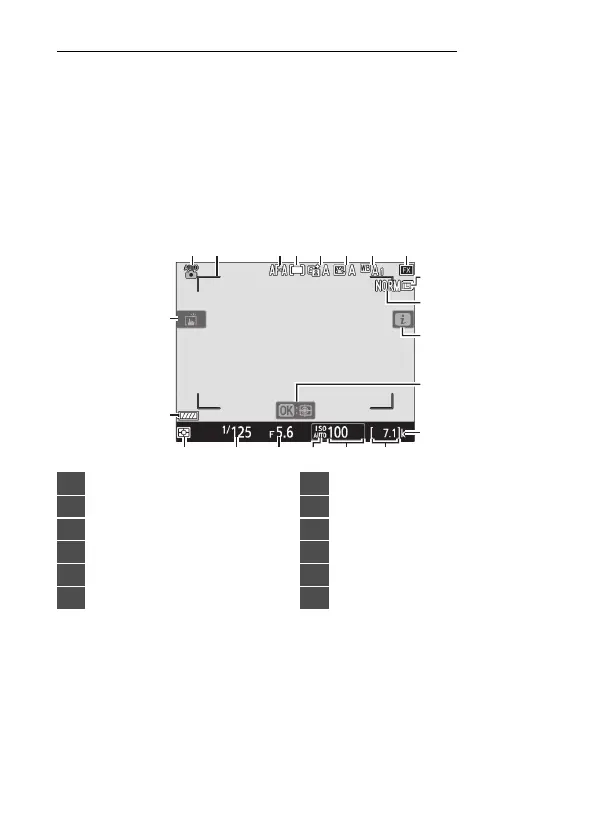
The Live View Displays (Photos/Movies)
Press the
a
button to display the view through the lens in the
monitor. Rotate the live view selector to
C
to take photographs
or to
1
to record movies.
❚❚
Live View Photography
The following indicators appear in the monitor at default
settings. For a full list of the indicators that may be displayed,
see “Camera Displays” in “Technical Notes” (
0
773).
1
10
2 3 4 5 6 7
14
8
11
13
12
9
21
20
1517
16
1819
1
Shooting mode (
0
71)
2
AF-area brackets (
0
40)
3
Autofocus mode (
0
76)
4
AF-area mode (
0
78)
5
Active D-Lighting
6
Set Picture Control
7
White balance (
0
86)
8
Image area
9
Image size (
0
97)
10
Image quality (
0
95)
11
i
icon (
0
63)
12
Subject tracking AF



 To Next Page