27
First Steps
Inserting Memory Cards
•
Turn the camera off before inserting or removing memory
cards.
•
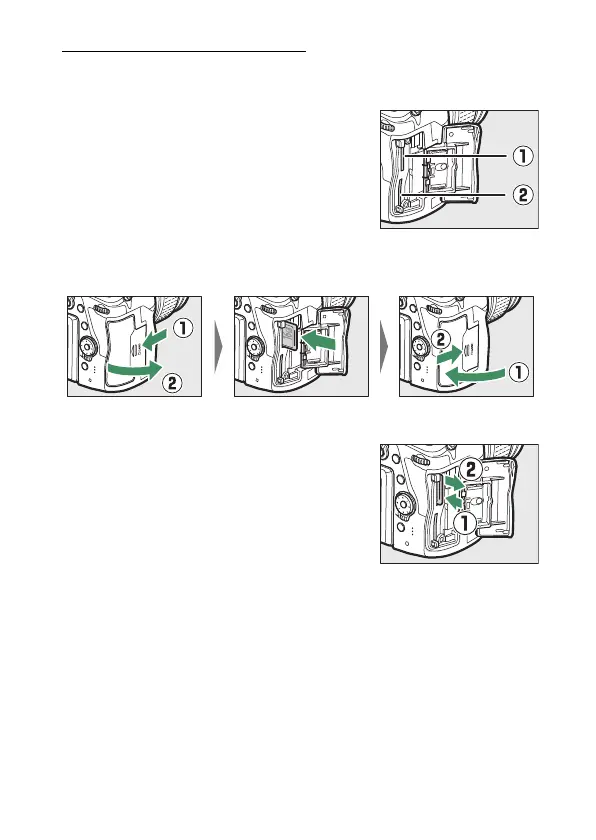
The camera has two memory card slots:
Slot 1 (
q
) and Slot 2 (
w
). If you are
using only one memory card, insert it
into Slot 1.
•
Holding the memory card in the orientation shown, slide it
straight into the slot until it clicks into place.
❚❚
Removing Memory Cards
After confirming that the memory card
access lamp is off, turn the camera off
and open the memory card slot cover.
Press the card in to eject it (
q
); the card
can then be removed by hand (
w
).



 To Next Page