474
On-Camera Flash Photography
When a unit that supports unified flash control (the SB-5000,
SB-500, SB-400, or SB-300) is mounted on the camera accessory
shoe, flash info can be viewed in the camera display. To view
flash info during viewfinder photography, press the
R
button
to activate the information display (
0
776) and then press the
R
button again.
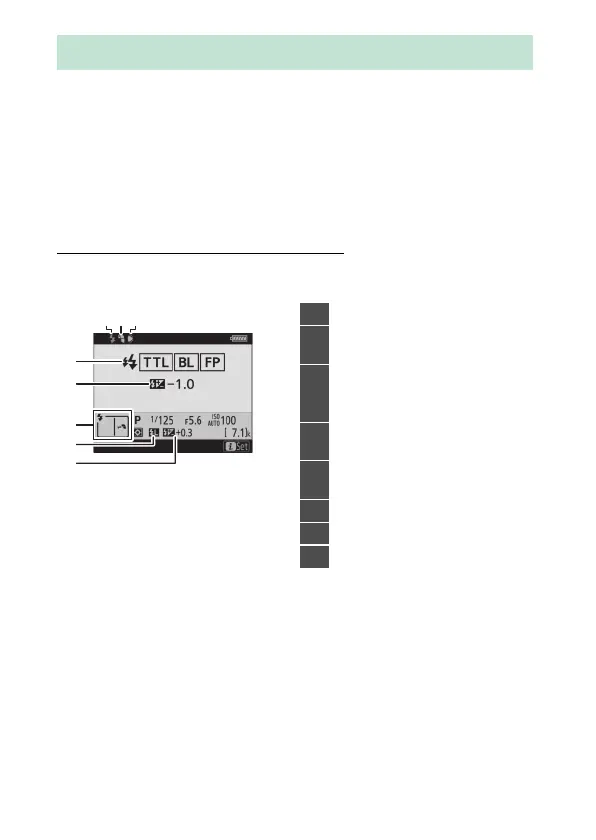
Flash Control Mode Displays
❚❚
TTL
Flash Info for On-Camera Units
5
7
8
6
4
213
1
Flash-ready indicator (
0
460)
2
Bounce icon (displayed if flash
head is tilted up, left, or right)
3
Zoom head position warning
(displayed if zoom head is not
in correct position)
4
Flash control mode (
0
463)
FP indicator (
0
618)
5
Flash compensation (TTL;
0
469)
6
Flash mode (
0
465)
7
FV lock indicator (
0
471)
8
Flash compensation (
0
469)



 To Next Page