87
Camera Controls
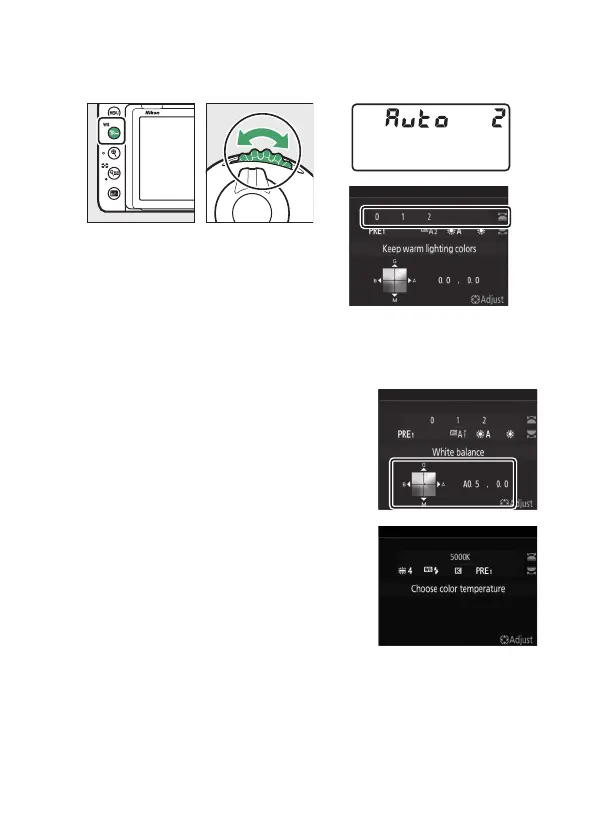
Options for the selected setting, if any, can be selected by
holding the
Q
/
g
(
U
) button and rotating the sub-command
dial.
If coordinates are displayed as shown, you can hold the
Q
/
g
(
U
) button and fine-tune white balance using the multi
selector.
•
Press
4
or
2
to fine-tune white
balance on the amber-blue axis and
1
or
3
to fine-tune white balance on the
green-magenta axis.
•
When [Choose color temperature] is
selected, you can press
4
or
2
to
highlight a digit. Press
1
or
3
to
change.
•
Release the
Q
/
g
(
U
) button to return to shooting mode.



 To Next Page