321
Other Shooting Options
•
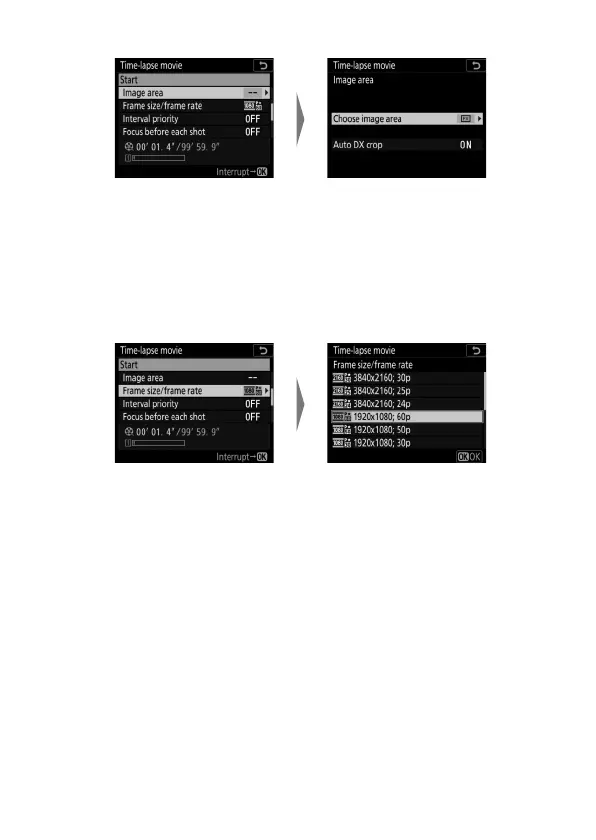
To choose the image area:
- If you selected [Choose image area], choose [FX] or [DX];
if you selected [Auto DX crop], highlight [On] or [Off] and
press
J
.
•
To choose the frame size and rate:
Highlight [Image area] and
press
2
.
Highlight [Choose image
area] or [Auto DX crop] and
press
2
.
Highlight [Frame size/frame
rate] and press
2
.
Highlight an option and
press
J
.



 To Next Page