336
Other Shooting Options
•
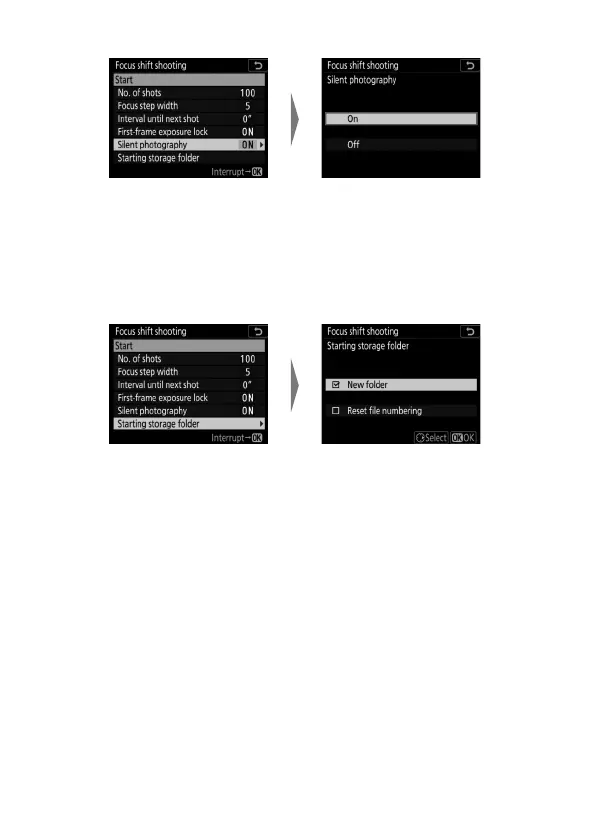
To enable or disable silent photography:
-If [On] is selected, the only time the sound of the shutter
or mirror will be heard is when the mirror is raised or
lowered at the start and end of shooting.
•
Choose start folder options:
- Select [New folder] to create a new folder for each new
sequence, [Reset file numbering] to reset file numbering
to 0001 whenever a new folder is created.
Highlight [Silent
photography] and press
2
.
Highlight an option and
press
J
.
Highlight [Starting storage
folder] and press
2
.
Highlight options and press
2
to select or deselect. Press
J
to proceed.



 To Next Page