411
Network Connections
7
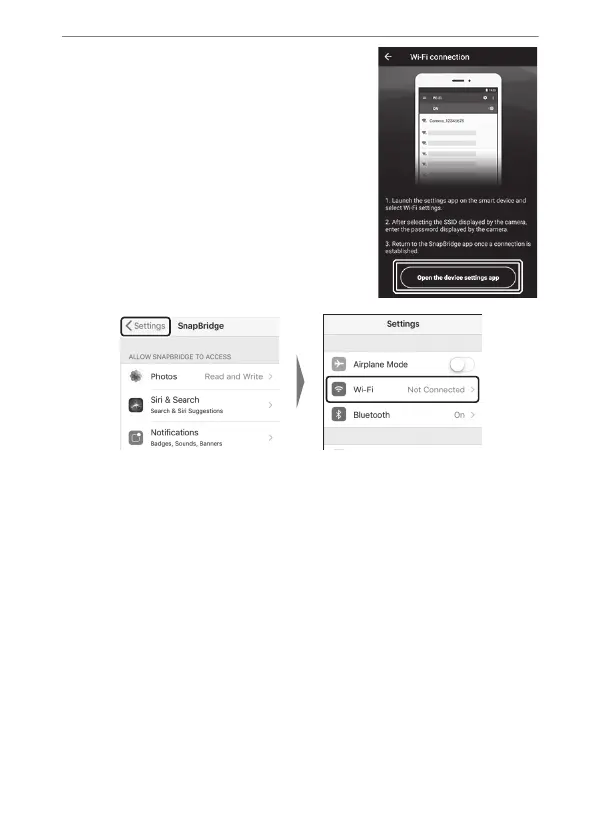
Smart device: After reading
the instructions, tap [Open the
device settings app].
•
Android devices: Wi-Fi settings
will be displayed.
•
iOS devices: The “Settings” app will
launch. Tap [< Settings] to open
the “Settings” app. Next, scroll up
and tap [Wi-Fi], which you’ll find
near the top of the settings list.



 To Next Page