426
Network Connections
D
Pairing Error
If you wait too long between pressing the button on the camera and
tapping the button on the iOS device, pairing will fail and an error will
be displayed.
Camera: Press
J
and return to Step 1.
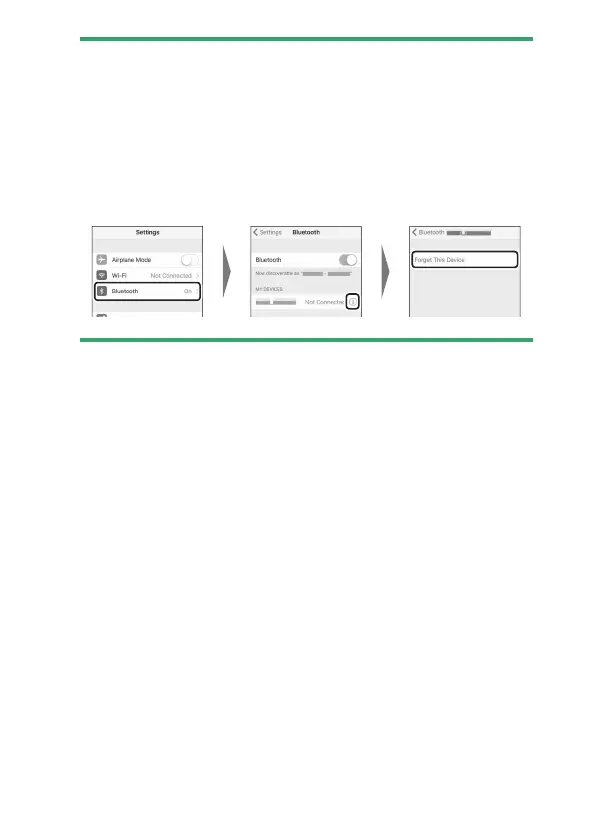
iOS device: Dismiss the SnapBridge app and check that it is not
running in the background, then open the iOS “Settings” app and
request iOS to “forget” the camera as shown in the illustration before
returning to Step 2.



 To Next Page