813
Technical Notes
●
Accessory Terminal Accessories
The following accessories can be connected to the accessory terminal.
•
WR-R10 Wireless Remote Controller
•
WR-1 Wireless Remote Controller
•
MC-DC2 Remote Cord
Close the camera connector cover when the terminal is not in use. Foreign
matter in the connector could cause malfunction.
D
Compatible Accessories
•
Availability may vary with country or region.
•
See our website or brochures for the latest information.
D
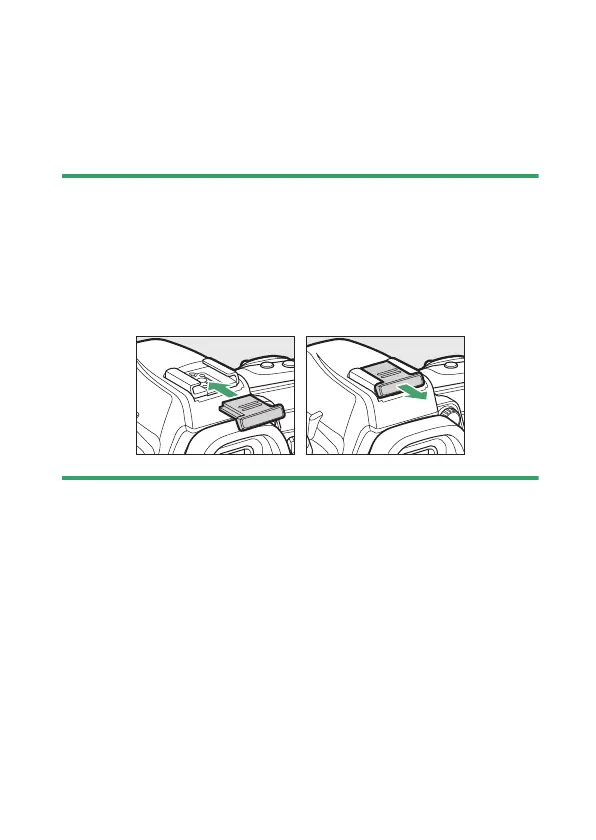
Attaching and Removing the Accessory Shoe Cover
The accessory shoe cover (available separately) slides into the accessory
shoe as shown. To remove the cover, hold the camera firmly, press the
cover down with a thumb and slide it in the direction shown.



 To Next Page