882
AF-S NIKKOR 24–120mm f/4G ED VR Lens Manual
❚❚
The Lens Hood
The lens hood protects the lens and blocks stray light that
would otherwise cause flare or ghosting.
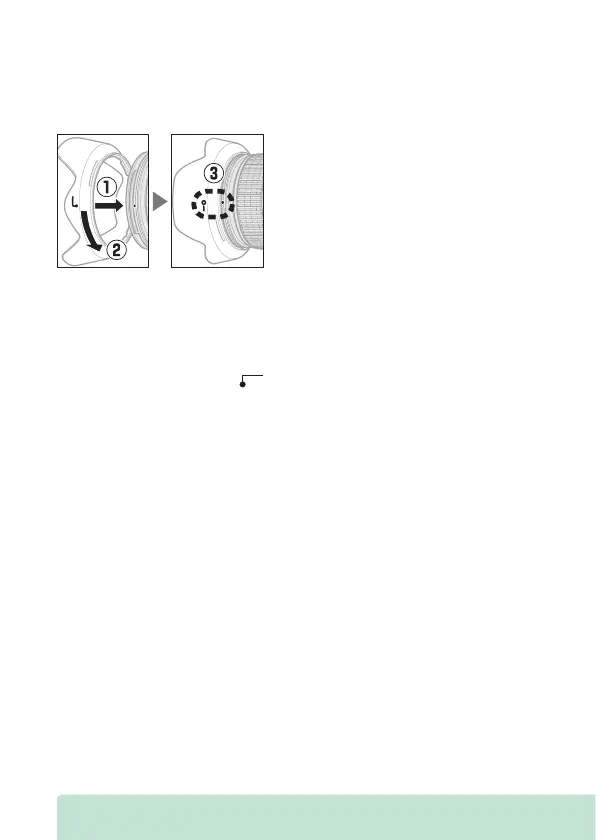
Attaching the Hood
•
Confirm that the lens hood mounting mark (
I
) is aligned with
the lens hood lock mark (—
K
) as shown in the illustration (
e
).
•
When attaching or removing the hood, avoid gripping it too
tightly. When attaching or removing the hood, hold it near the
hood alignment mark ( ).
•
Vignetting may occur if the hood is not correctly attached.
•
The hood can be reversed and mounted on the lens when not
in use.



 To Next Page