ACCESS GATEWAY
System Administration 109
Setting up Quality of Service {QoS}
The Quality of Service feature allows subscriber traffic to be classified so that it can then be
acted upon by devices that support QoS prioritization or other QoS capabilities. This requires
the use of 802.1q-based VLANS on the network, as it is based on 802.1p Class of Service
(CoS) marking. The QoS classification function supports both external and internal modes. In
External mode, when the NSE received packets with 802.1p priority bits already set, it will
pass the priority values through unaltered. In Internal mode, classification and resultant bit
marking is performed via QoS policies that are defined within the NSE. The two modes can
also be used in combination.
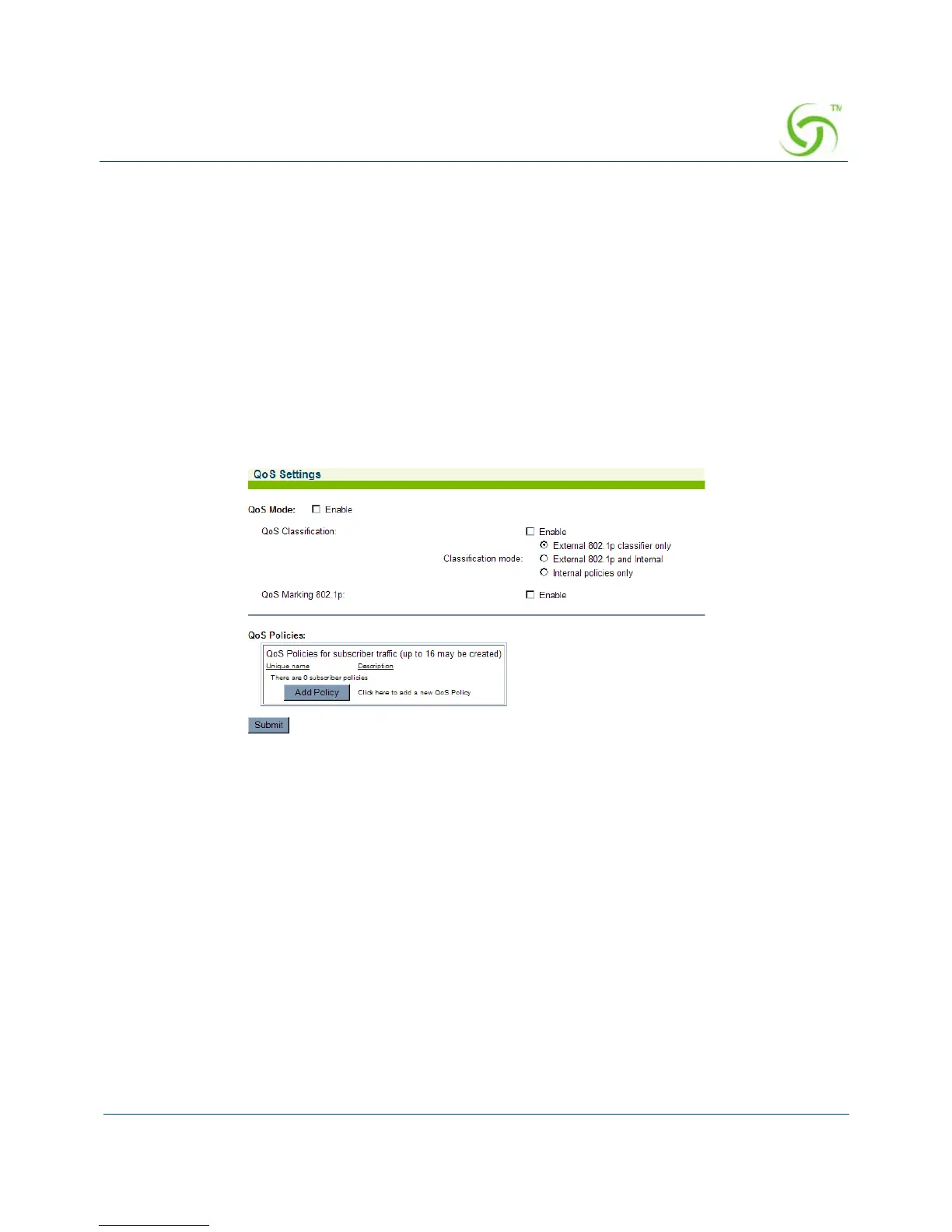
1. From the Web Management Interface, click on Configuration, then QoS. The QoS
Settings screen appears:
2. Enable QoS Mode if you want to use QoS policies.
3. Enable QoS Classification to facilitate the classification mode desired. Classification can
be based on internally defined policies, by incoming frames that are already classified, or
both.
4. Enable QoS Marking to mark packets using 802.1p Class of Service values.



 To Next Page