ACCESS GATEWAY
System Administration 79
2. Click the checkbox for GRE Tunneling to enable this feature.
3. Enter the VPN Concentrator IP Address. This is the IP address of the remote server.
4. Enter the GRE Interface IP Address. This is the IP of the local GRE interface on the
Access Gateway.
5. Enter the GRE Interface Subnet Mask. This is the subnet mask for the GRE connection.
6. Enter the GRE Interface Default Gateway. This is the IP address of the GRE interface of
the remote host.
7. When finished, you must reboot the system for the new settings to take effect. Click the
check box for Reboot after changes are saved? to reboot the system after saving your
changes.
8. Click Submit to save your changes and reboot the system, or click Reset to reset all the
values to their previous state.
Setting the Home Page Redirection Options {Home Page Redirect}
This procedure shows you how to redirect the subscriber’s browser to a specified home page.
Subscribers may also be redirected to a page specified by the solution provider, without any
interaction with the authentication process.
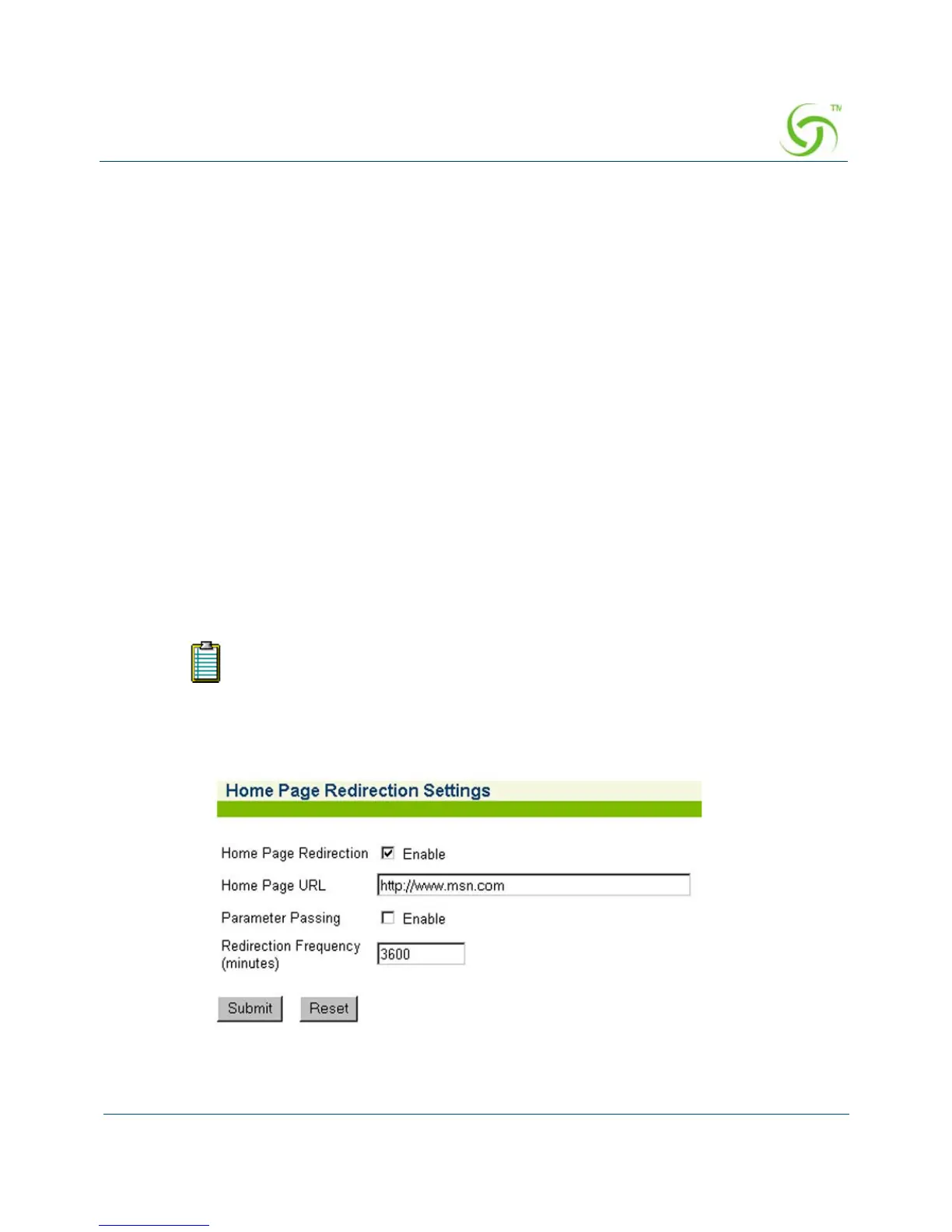
1. From the Web Management Interface, click on Configuration, then Home Page Redirect.
The Home Page Redirection Settings screen appears:
You must configure DNS if you want to enter meaningful URLs instead
of numeric IP addresses into any of the Access Gateway’s configuration
screens.



 To Next Page