ACCESS GATEWAY
110 System Administration
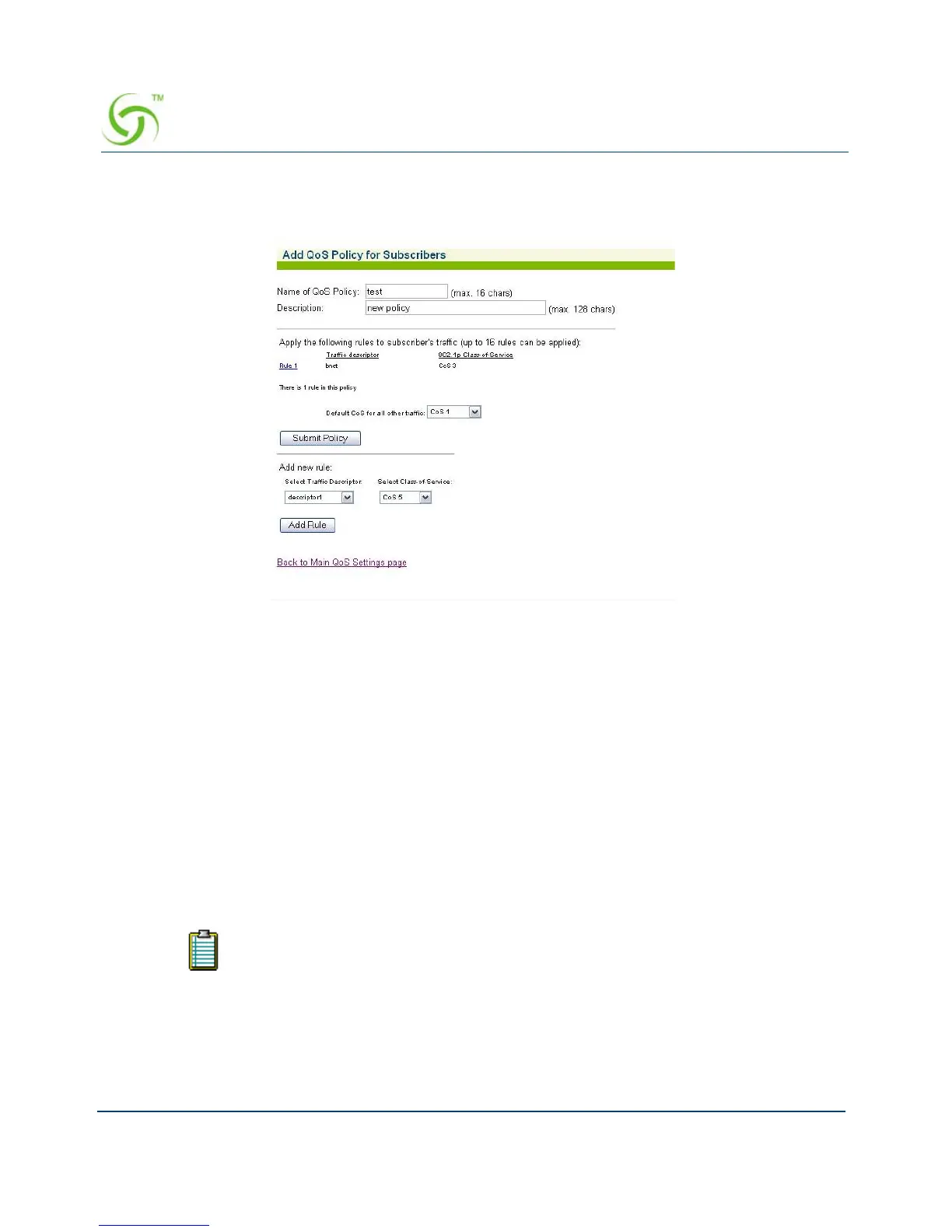
5. Select Add Policy to define a new QoS policy, or select a link to a policy that is already
defined in order to modify it.The Add QoS Policy for Subscribers screen appears:
6. Enter a name for the policy in the QoS Policy field.
7. Enter a brief summary about the policy Description field. The rule list displays a list of the
rules that have been defined for this policy.
8. Click Submit Policy to accept the parameters and rules defined and add the policy to the
policy list on the main page.
9. Select a traffic descriptor and a Class of Service for the rule, and then click Add Rule.
Once added, rules will be displayed in the list above.
Defining the RADIUS Client Settings {RADIUS Client}
The Access Gateway supports Remote Authentication Dial-In User Service (RADIUS).
RADIUS is an authentication and accounting system used by many Internet Service Providers.
Nomadix offers an integrated RADIUS client, allowing service providers to track or bill users
based on the number of connections, location of the connection, bytes sent and received,
connect time, etc. The customer database can exist in a central RADIUS server, along with
associated attributes for each user. When a customer connects into the network, the RADIUS
The “Usernames” function must be enabled for a RADIUS login. See also,
“Defining the AAA Services {AAA}” on page 54.



 To Next Page