ACCESS GATEWAY
214 System Administration
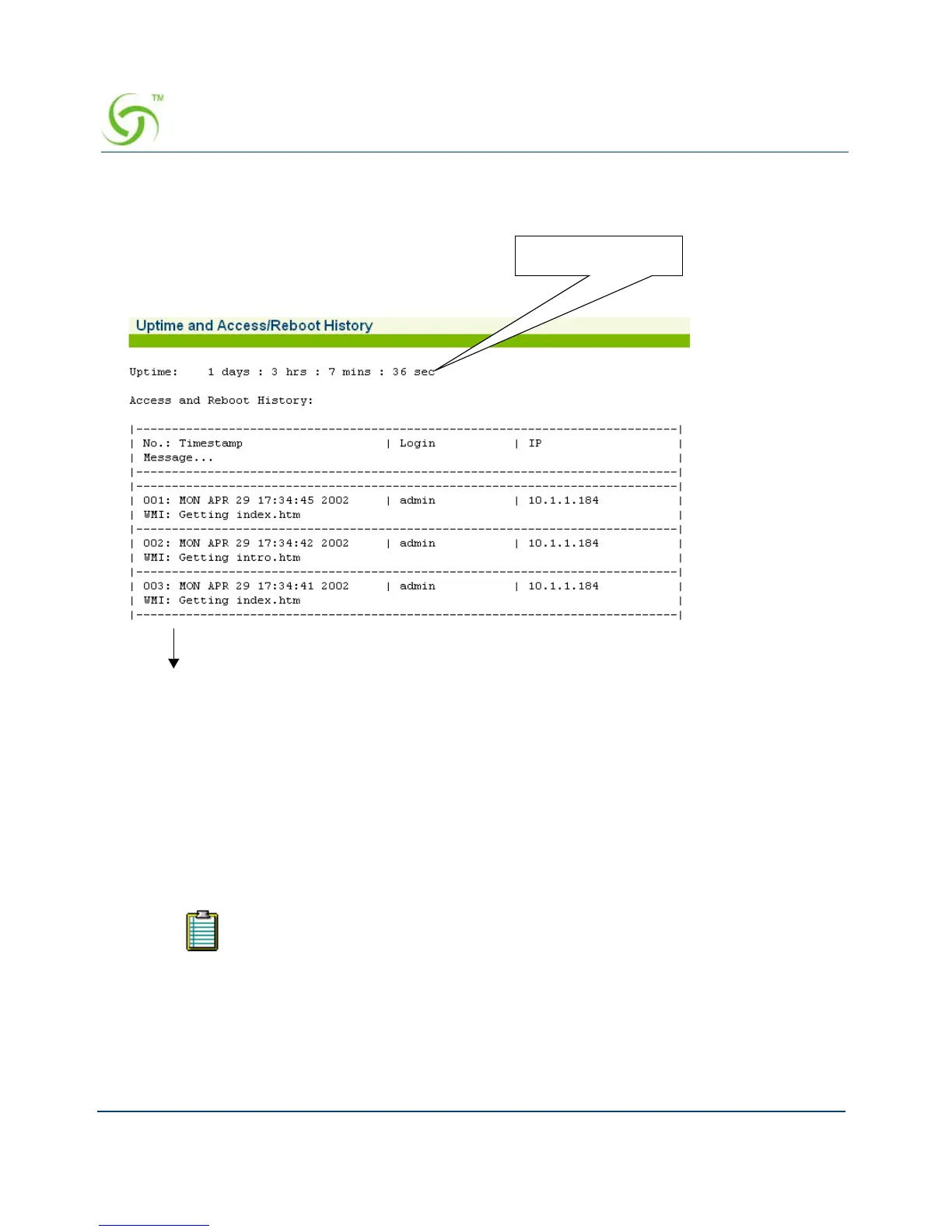
To view the history log, go to the Web Management Interface and click on System, then
History. The Uptime and Access/Reboot History screen appears:
The “Uptime” field displays the time (in days, hours, minutes, and seconds) that the system has
been up and running.
The “Access and reboot History” log fields include:
Message – Administrator / Operator action.
Login – User name of the Administrator / Operator.
IP – Source IP address (see note).
Establishing ICMP Blocking Parameters {ICMP}
The Access Gateway includes the option to block all ICMP traffic from “pending” or “non
authenticated” users that are destined to addresses other than those defined in the pass-through
The source IP displayed may be the source IP of a NAT router instead of the client
of the person accessing the Access Gateway.



 To Next Page