ACCESS GATEWAY
128 System Administration
Managing the SNMP Communities {SNMP}
You can address the Access Gateway using an SNMP client manager (for example, HP
OpenView). SNMP is the standard protocol that regulates network management over the
Internet. To do this, you must set up the SNMP communities and identifiers. For more
information about SNMP, see “Using an SNMP Manager” on page 52.
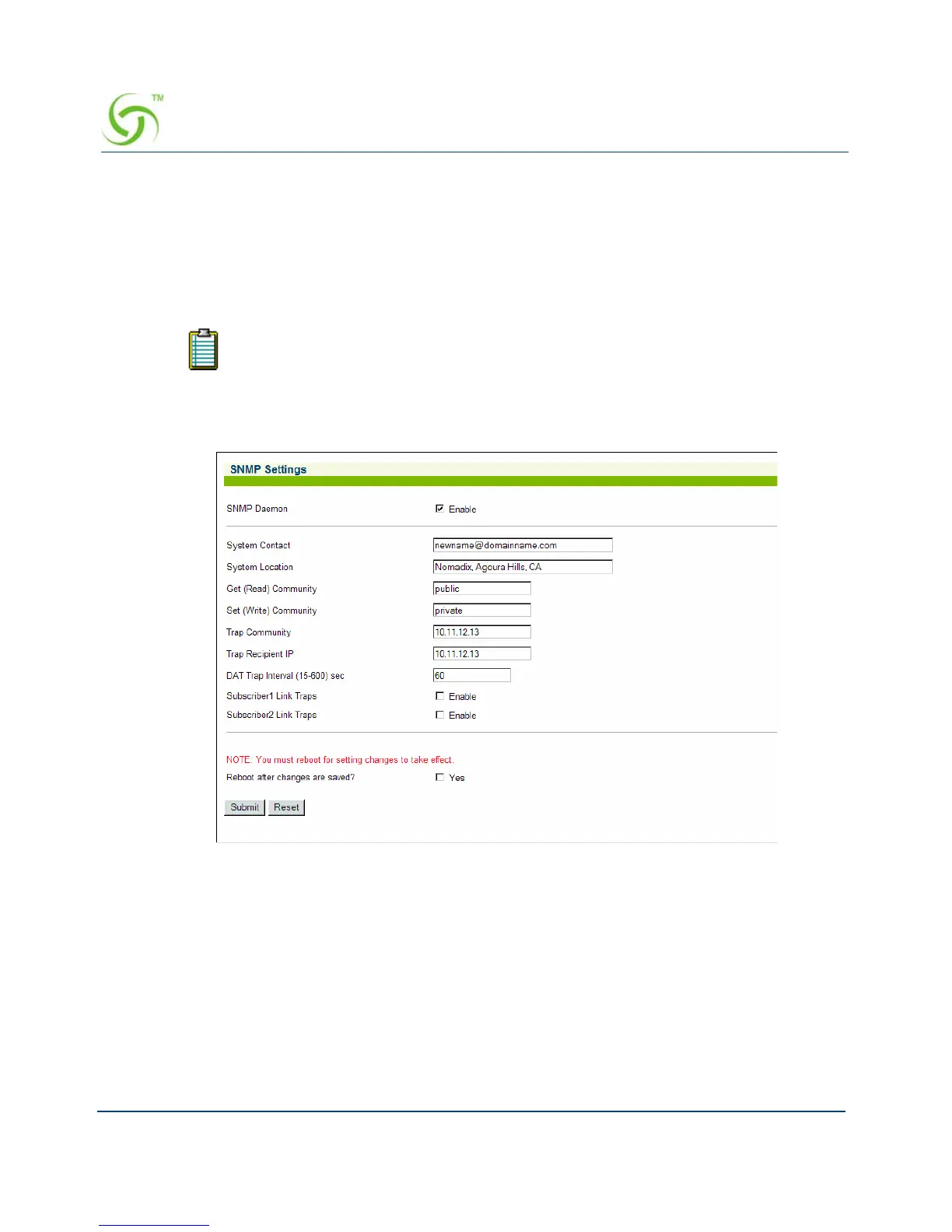
1. From the Web Management Interface, click on Configuration, then SNMP. The SNMP
Settings screen appears:
2. Click on the check box for SNMP Daemon to enable this functionality.
If you want to use SNMP, you must manually turn on SNMP.



 To Next Page