ACCESS GATEWAY
82 System Administration
Defining IPSec Tunnel Settings {IPSec}
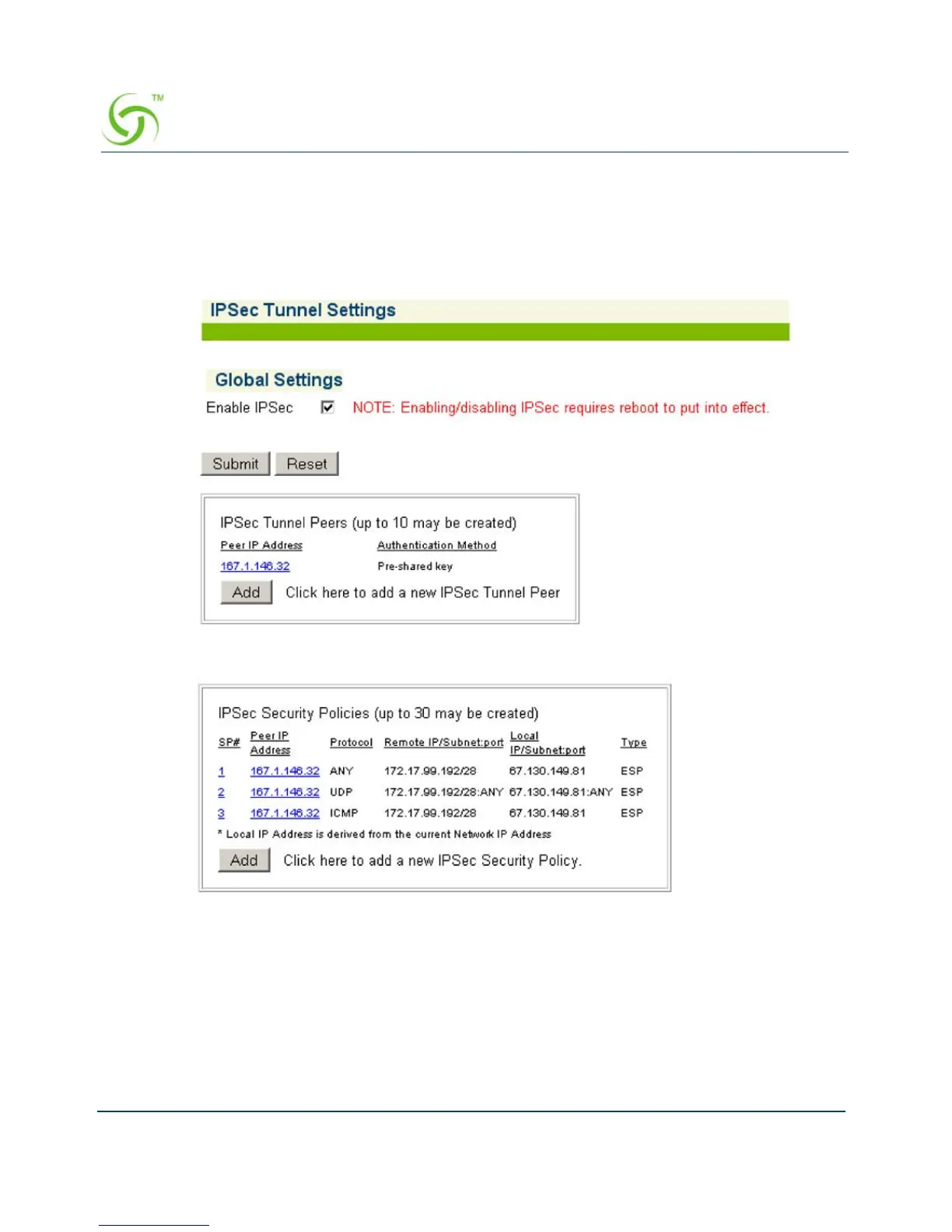
1. From the Web Management Interface, click on Configuration, then IPSec. The IPSec
Tunnel Settings screen appears:
2. Check the Enable IPsec checkbox to enable IPsec. Note that you will have to reboot for
IPsec to take effect.
3. Click Submit to save the setting.
To add or modify IPsec tunnel peers, see Managing IPSec Tunnel Peers. To add or modify
IPsec security policies, see Managing IPSec Security Policies.



 To Next Page