ACCESS GATEWAY
System Administration 83
Managing IPSec Tunnel Peers
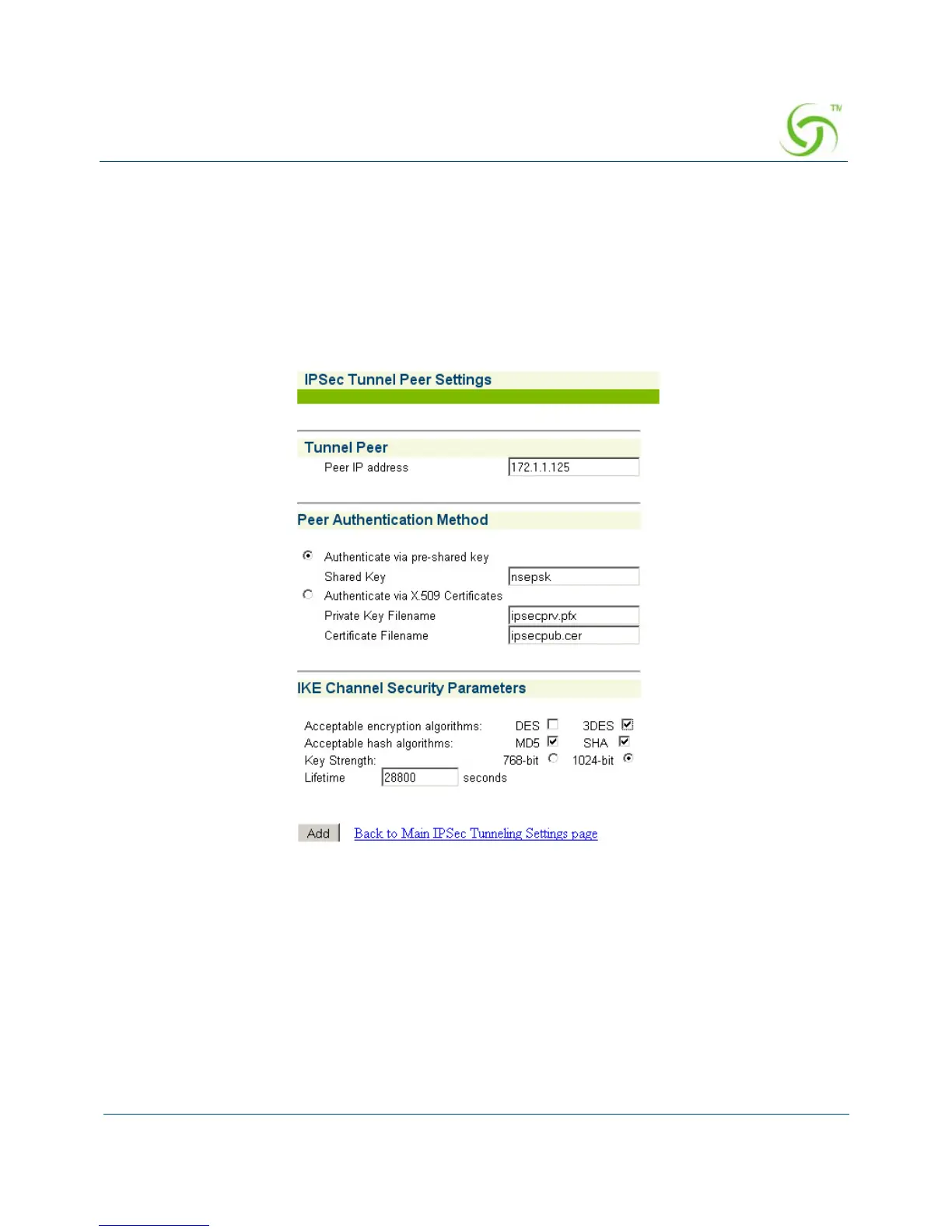
You can add a new IPSec tunnel peer or modify the settings of an existing IPSec tunnel peer
from the IPSec Tunnel Settings screen.
Adding a new IPSec tunnel peer
1. Click the Add button in the IPSec Tunnel Peers table. The IPSec Tunnel Peer Settings
screen opens.
2. Enter the IP address of the peer in the Tunnel Peer field.
3. In the Peer Authentication Method section, select one of the two peer authentication
methods:
Authenticate via pre-shared key – Enter the pre-shared key in the Shared Key field.
Authenticate via X.509 Certificate –
Enter the filename of the private certificate in the Private Key Filename field.
Enter the filename of the public certificate in the Certificate Filename field.



 To Next Page