ACCESS GATEWAY
120 System Administration
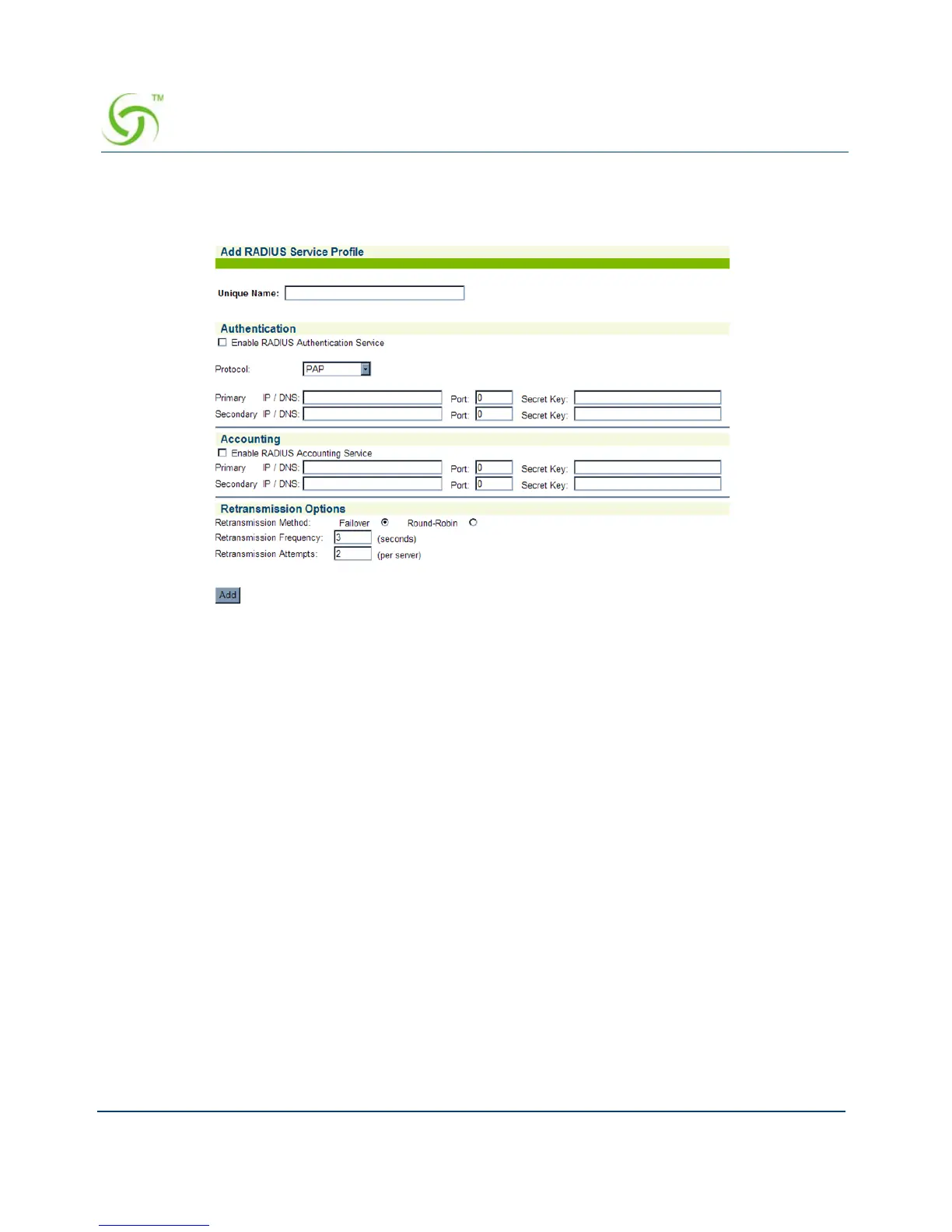
To add a RADIUS Service Profile, click on the appropriate Add button. The Add RADIUS
Service Profile screen appears:
Enter a name of your choice for this service profile in the
Unique Name field.
Authentication
This category requires input for enabling RADIUS authentication and requires you to define IP
addresses, ports, and secret keys for the primary and secondary RADIUS servers (the
secondary server is optional).
1. Enable or disable the RADIUS Authentication Service, as required, by clicking on the
Enable RADIUS Authentication Service check box.
2. If you enabled the RADIUS Authentication Service, enter the primary RADIUS
authentication server IP address in the
Primary IP field. This field can also be populated
by a DNS name to allow for changing the DNS resolution, instead of having to change
settings in the NSE when the IP of the Radius server changes.
3. Enter the authorization port in the Port field for the primary RADIUS authentication
server. This is the port the system uses when authorizing subscribers.
4. Enter a secret key in the Secret Key field for the primary RADIUS authentication server.
During the authentication process, the server and client exchange secret keys. The secret



 To Next Page