ACCESS GATEWAY
System Administration 71
established (with either server), the Access Gateway sends the stored information to the
server—no records are lost!
For more information about the bill record mirroring feature, go to “Mirroring Billing
Records” on page 286.
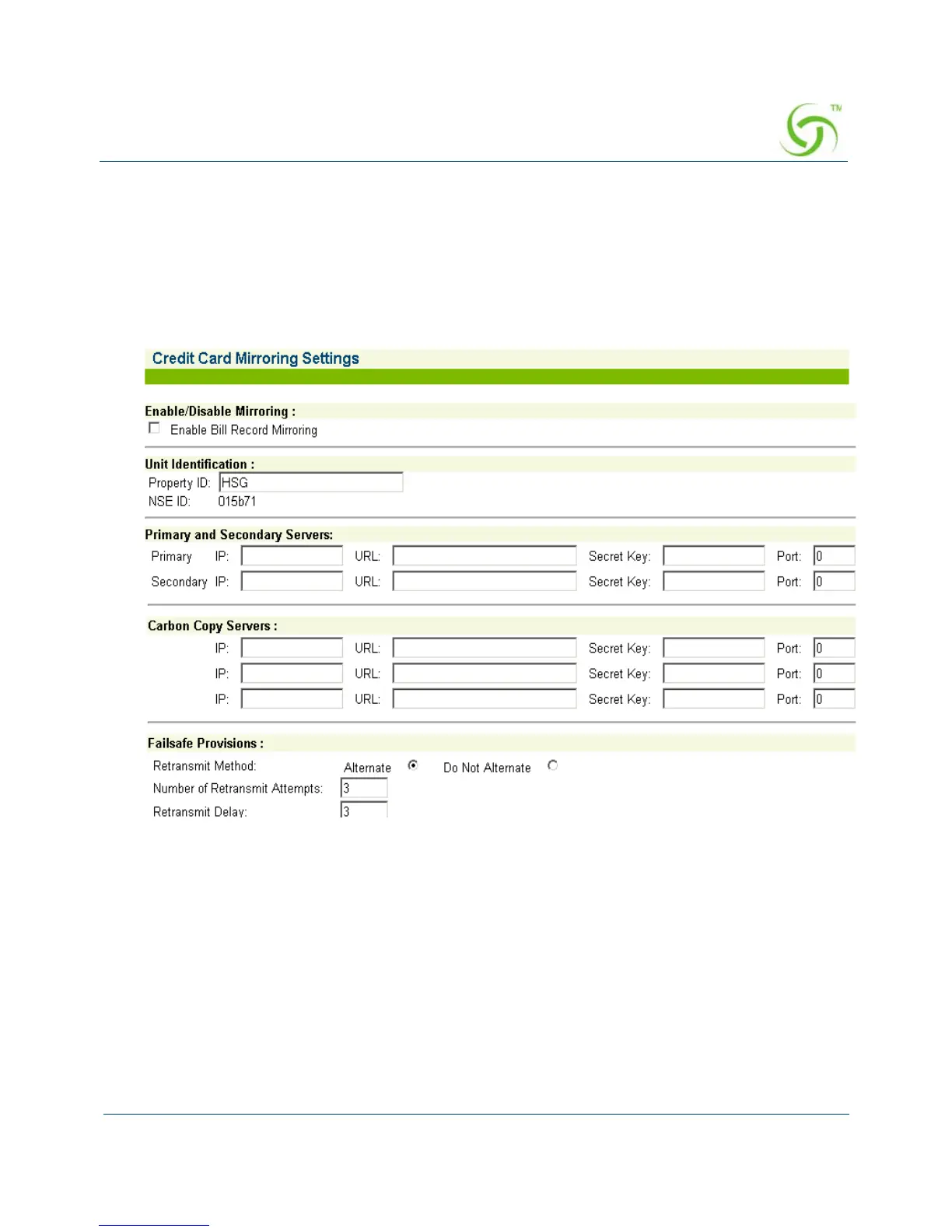
1. From the Web Management Interface, click on Configuration, then Bill Record
Mirroring
. The Credit Card/PMS Mirroring Settings screen appears:
2. If you want to enable the billing records “mirroring” functionality for credit card
transactions, click on the check box for
Enable Bill Record Mirroring.
3.
Enter the property identification code in the Property ID field.
4. Enter the communication parameters for the primary server that is to be used for
mirroring, including:
Primary IP
URL
Secret Key



 To Next Page