ACCESS GATEWAY
System Administration 85
Adding a New IPSec Security Policy
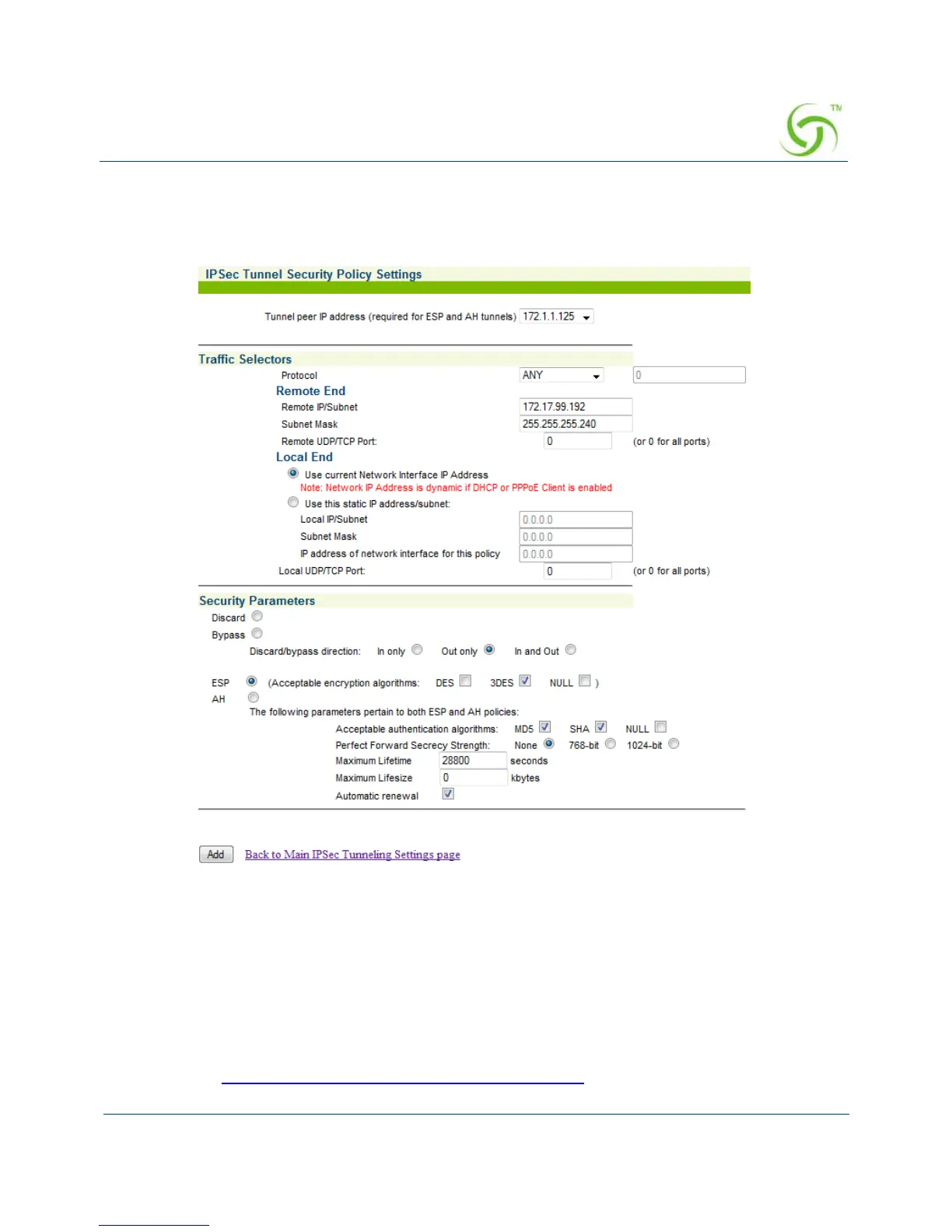
1. In the IPSec Security Policies table, click the Add button to add an entry. The IPsec
Tunnel Security Policy Settings screen opens.
2. Select the tunnel peer IP address for which you would like to add a security policy from
the
Tunnel peer IP address menu. You must select a peer if the policy is using ESP or
AH; if the policy is a Discard or Bypass policy, select none.
3. In the Traffic Selectors section, define a specific protocol by one of the following
methods:
Select a specific protocol from the Protocol menu.
Enter a specific protocol number in the Protocol field. Protocol numbers are available
at www.iana.org/assignments/protocol-numbers
.



 To Next Page