38 Océ 9300 User Manual
4
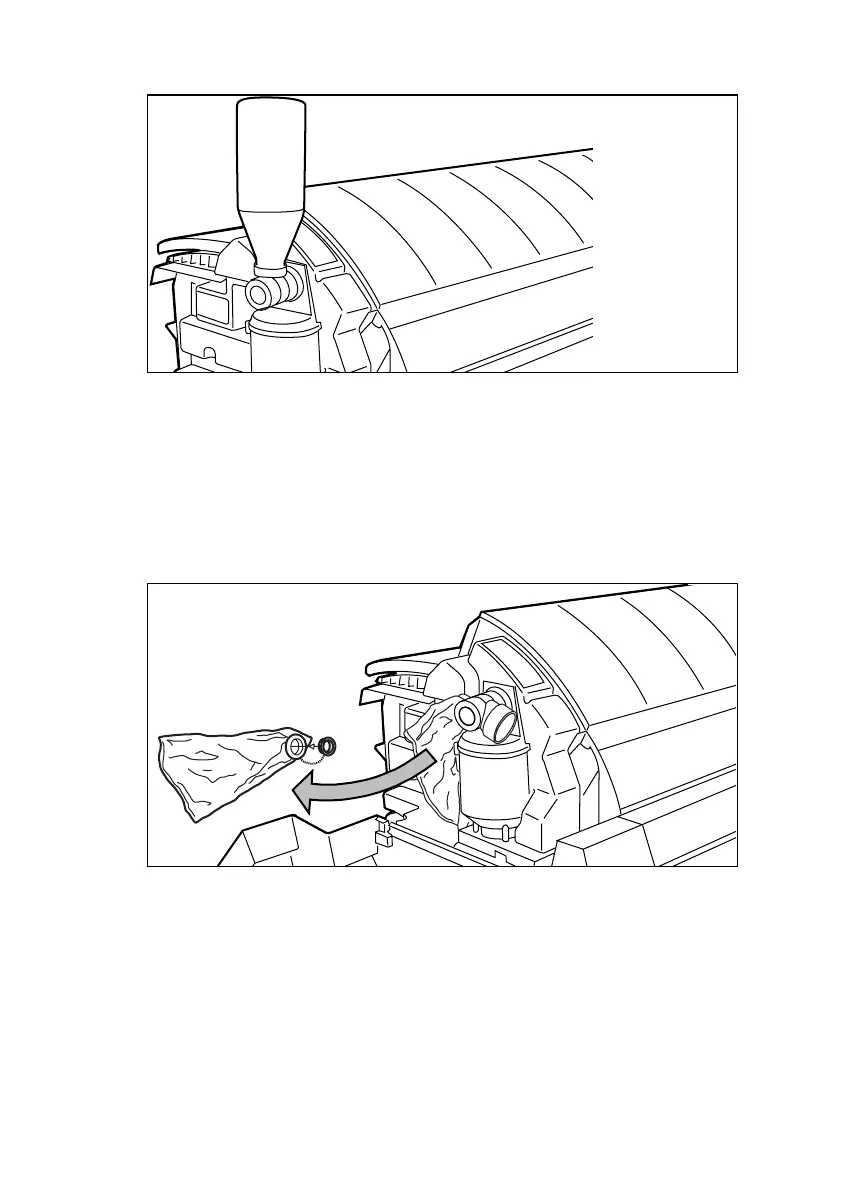
Move the toner bottle to a vertical position (see figure 16) and 17).
[17] Adding toner
5
Empty the toner out of the bottle by tapping it.
6
When the toner bottle is completely empty, return it to its original position.
7
Unscrew the toner bottle, turning it counter-clockwise.
▼
▼▼
▼
Replacing the waste toner bag
8
Pull the waste toner bag from the holder and seal the bag with the cap provided
(see figure 18).
[18] Replacing the waste toner bag
9
Slide a new waste toner bag over the holder.
10
Close the cover and tighten the access nut.
11
Press the ‘Continue’ button to resume printing.
B
4



 To Next Page