(Re)load media and toner 37
Refilling toner
If the message ‘REFILL TONER’’ --- > Press Continue appears in the display,
you must refill the toner immediately.
▼
▼▼
▼
Refilling toner
Attention:
Use only Océ B4 toner.
1
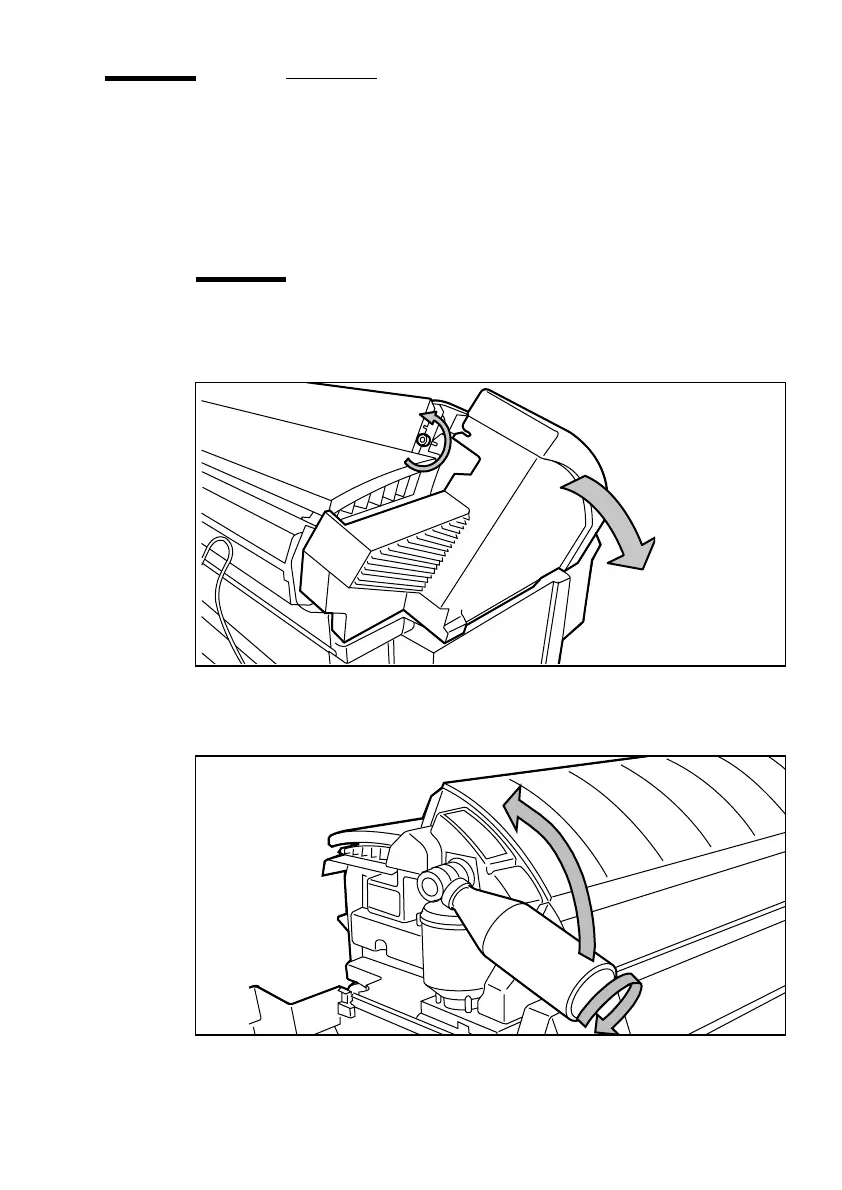
Unscrew the access nut on the left side of the printer and open the left cover
(see figure 15).
[15] Unscrewing the access nut and opening the cover
2
Shake the toner bottle thoroughly and then open it.
3
Screw the bottle in clockwise, in a slanted position (see figure 16).
[16] Screwing the bottle into place
B
4



 To Next Page