96 Océ 9300 User Manual
4
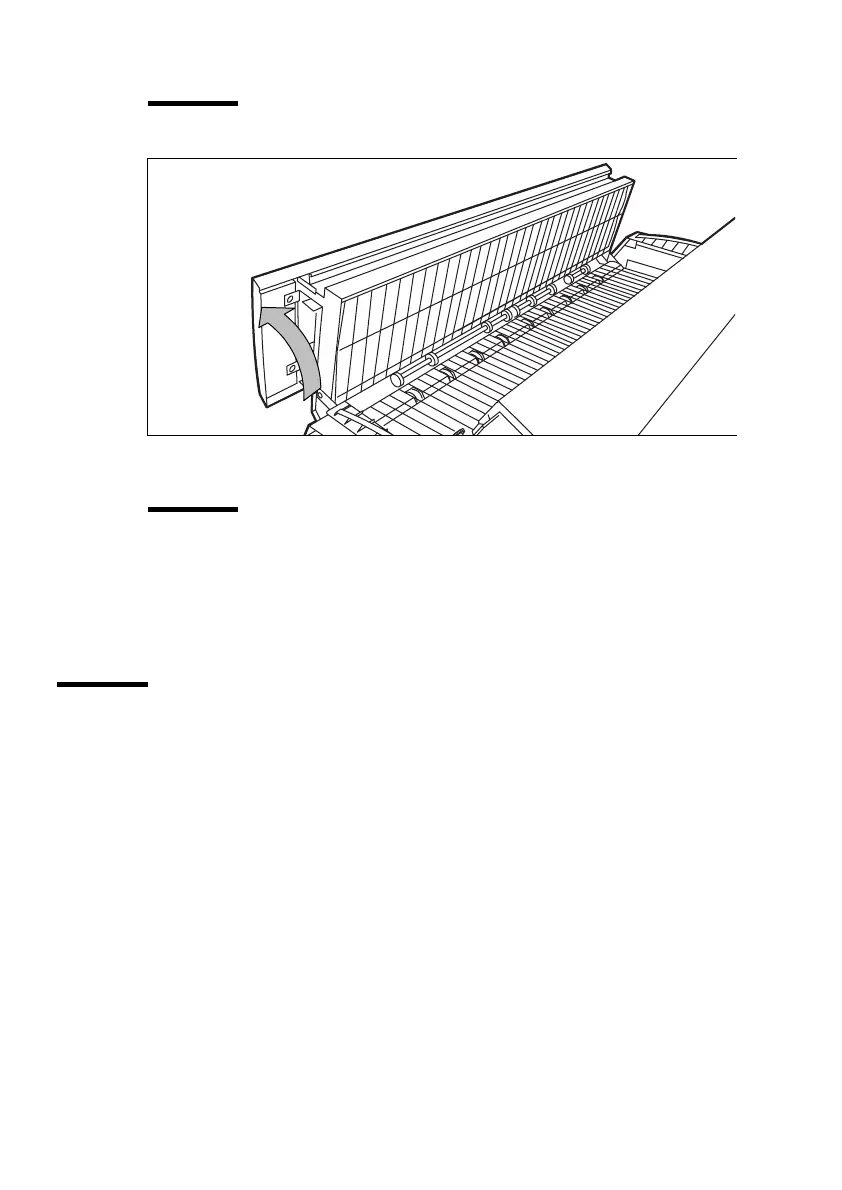
Open the fuser unit (see figure 30).
Caution:
If the printer has been used recently, the fuser may be hot.
[30] Opening the fuser unit
5
Remove the jammed material.
Attention:
Be careful! The toner is not fused.
6
Lift the green handle and close the fuser unit.
7
Close the left cover and tighten the access nut.
8
Turn the printer on.
Machine-recoverable errors
Machine recoverable errors are indicated by the appearance of a 4-digit error
code in the display.
▼
▼▼
▼
Solving a machine error
1
Turn off the printer and check the entire paper path. See ‘Clearing paper jams’
on page 94.
2
Then turn the printer on again.
If no error number appears in the display, you can continue printing.
If the machine error remains, call the key operator.



 To Next Page