All-New Event Presentation Switching Solutions
User Manual
7 Event Management Software PixelFlow
Configure Input Source Backup
Configure the backup relation between two sources. For two input sources with a hot
backup relationship, when the primary source has no signal, it will automatically
switch to the backup source.
Prerequisites
None
Notes
The function is applicable when the capacities of the input connectors are the
same.
After the function is enabled, the switching of the connector capacity and
connector type are not supported.
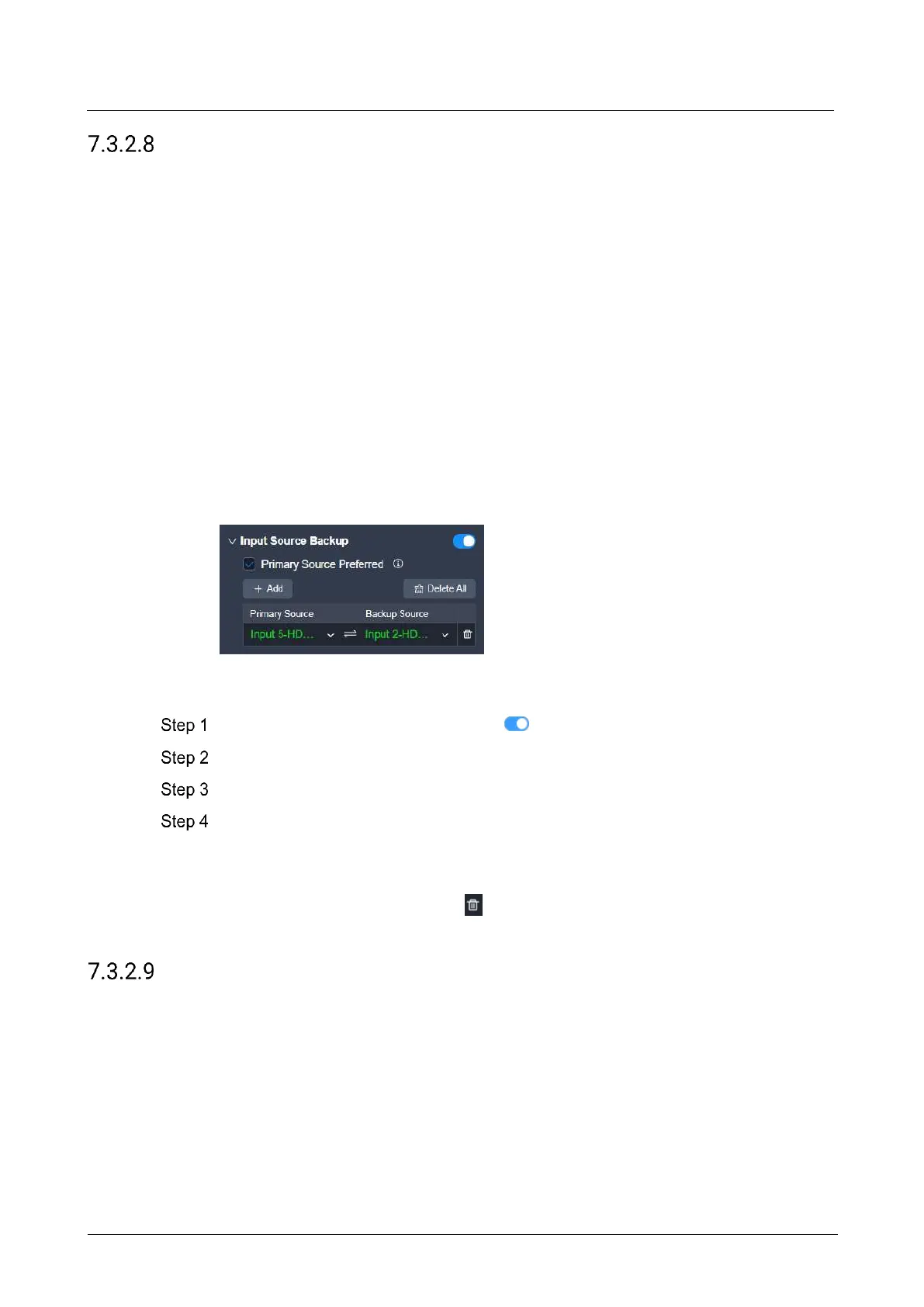
Interface Example (P20)
Description
Set the Input Source Backup switch to .
Select or deselect Primary Source Preferred.
Click Add.
Select a primary source and a backup source respectively from two drop-down lists
to establish a hot backup pair.
The green color indicates the source is accessed normally and ready for use.
To delete a hot backup pair, click next to the pair. To delete all hot backup pairs,
click Delete All.
Configure Device Backup
Enable the device backup function for the screen.
For screens with the device backup function turned on, when a layer's input source
has no signal or does not exist, all output connectors of the screen will immediately
stop outputting any signal, and switch to the backup link together with the sending
cards and receiving cards.
Prerequisites
None



 To Next Page