All-New Event Presentation Switching Solutions
User Manual
7 Event Management Software PixelFlow
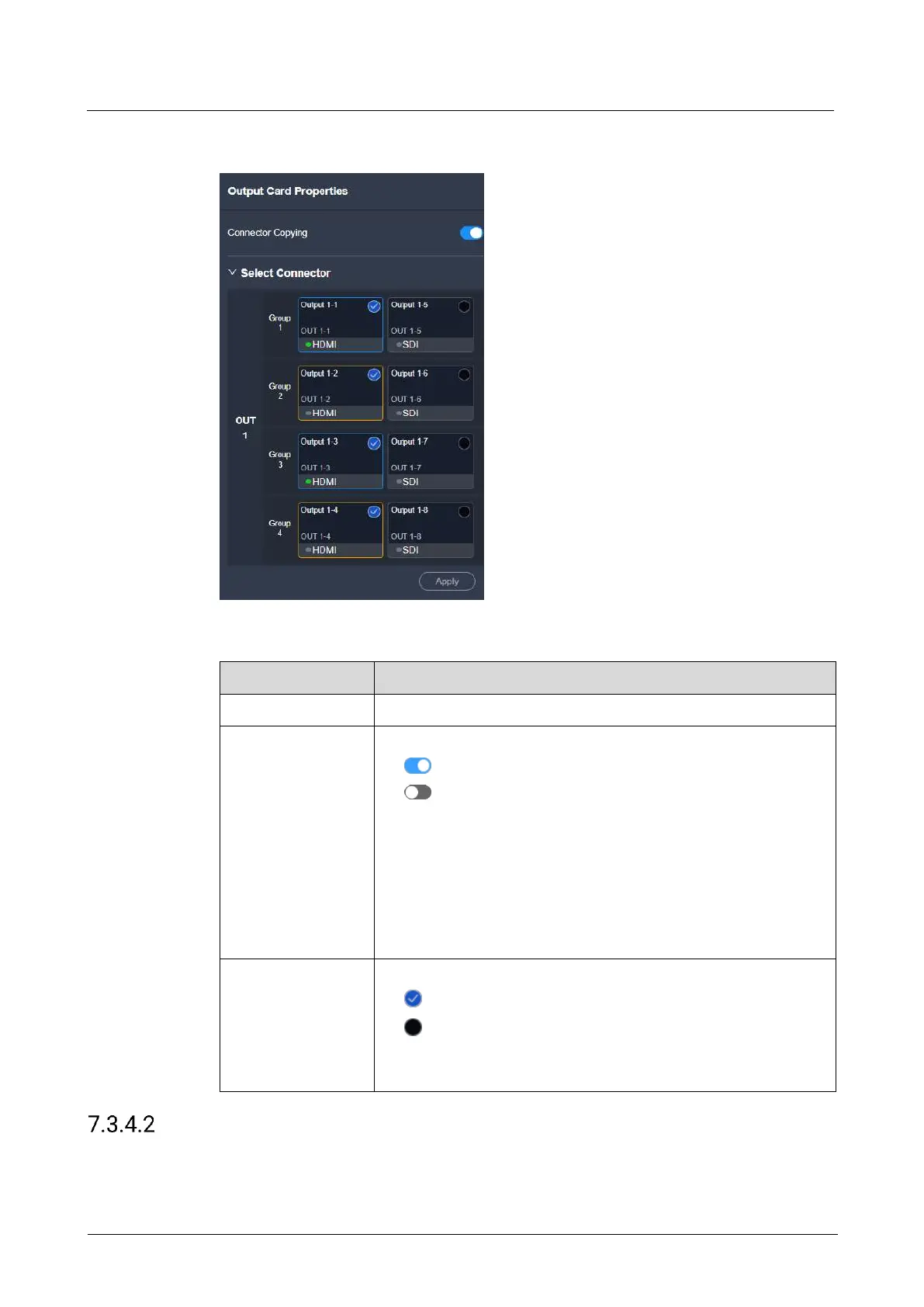
Interface Example (Q8)
Description
Set the output connector capacity from the drop-down list.
The function switch
: On
: Off
The default copy relations between connectors are as follows:
HDMI: Connectors 1 and 3 are primary connectors. Connector
2 copies the output on connector 1, while connector 4 copies
the output on connector 3.
SDI: Connectors 5 and 7 are primary connectors. Connector 6
copies the output on connector 5, while connector 8 copies the
output on connector 7.
Select the desired output connectors.
: Selected
: Not selected
When the connector copying function is disabled, select the
required output connectors and click Apply.
View Output Info
View the basic output properties, and change the output connector name.



 To Next Page