All-New Event Presentation Switching Solutions
User Manual
12G-SDI
− Support for ST-2082 (12G), ST-2081 (6G), ST-424 (3G), ST-292 (HD) and ST-
259 (SD) standard video inputs
− Compatible with SD-SDI, HD-SDI, 3G-SDI and 6G-SDI
− Support for interlaced signal inputs
− No support for EDID management or bit depth settings
Status LEDs
Each input connector has a status LED which indicates source access status.
On: The source is accessed.
Off: The source is not accessed or it is abnormal.
Output Card
When installing output cards, they must be installed starting from slot 1 and in
ascending order. No empty slots can be left between them.
Output cards do not support hot-swappable installation. Before installation, the
device must be powered off. Once the installation is completed, the device can be
powered on for use.
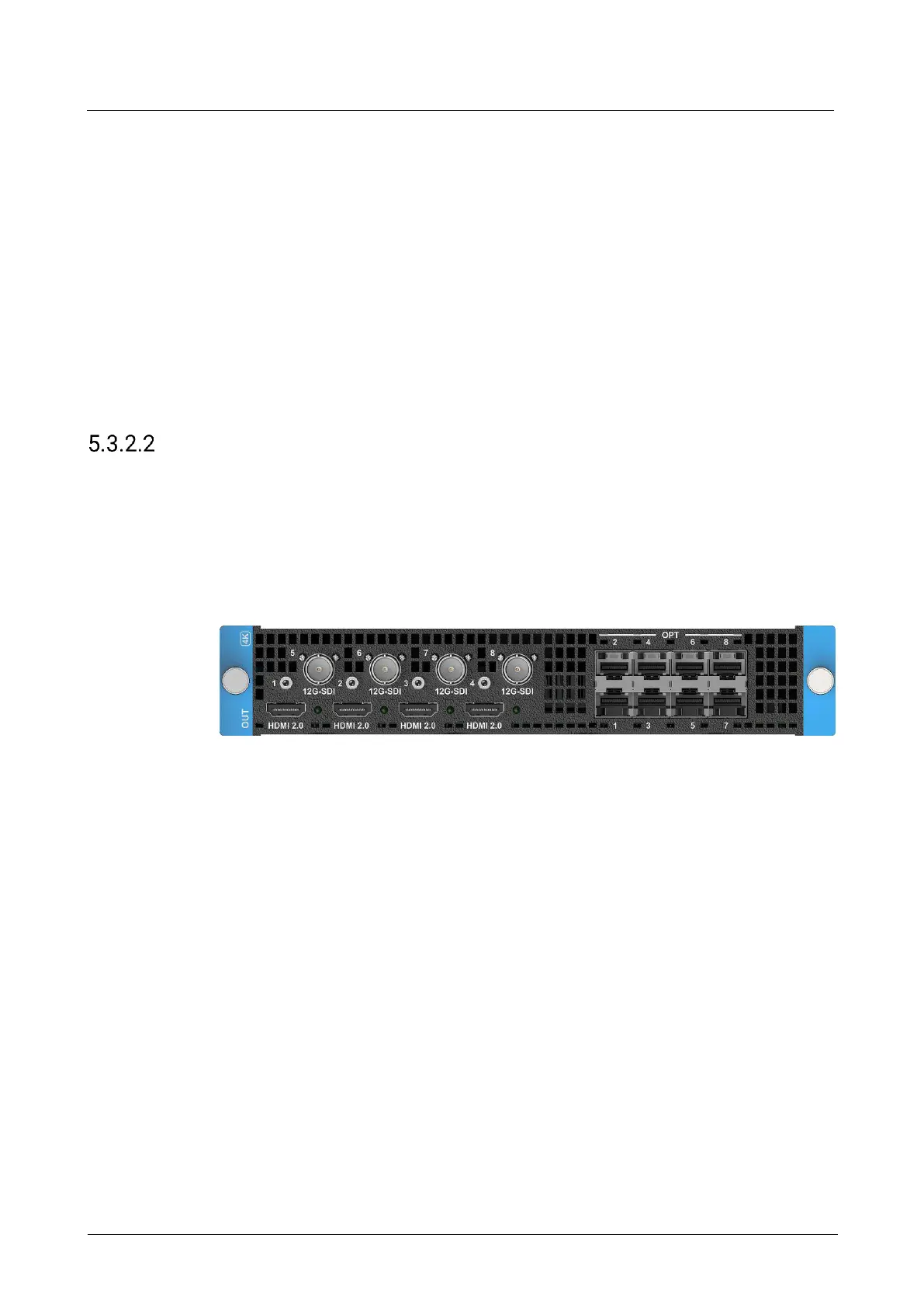
5.3.2.2.1 Q_4x HDMI 2.0+4x 12G-SDI Optical Output Card
Connectors
4x HDMI 2.0
4x 12G-SDI
8x 10G OPT
Specifications
The 4x HDMI 2.0 and 4x 12G-SDI connectors are divided into 4 groups. Each group
includes 1x HDMI 2.0 and 1x 12G-SDI connectors, and one connector copies the
output of the other. The 12G-SDI connector supports only standard resolutions
under the protocol. When the HDMI 2.0 connector is set to a custom resolution,
the 12G-SDI connector does not output.
− Connector 1 (HDMI 2.0) and connector 5 (12G-SDI) are in a group.
− Connector 2 (HDMI 2.0) and connector 6 (12G-SDI) are in a group.
− Connector 3 (HDMI 2.0) and connector 7 (12G-SDI) are in a group.
− Connector 4 (HDMI 2.0) and connector 8 (12G-SDI) are in a group.
4x HDMI 2.0
− Up to 4K×2K@60Hz 8bit 4:4:4 output



 To Next Page