All-New Event Presentation Switching Solutions
User Manual
the more vivid the image.
Hue is the relative degree of how bright or dark the image is.
Turn on/off monochrome.
: On. The layer image is in black and white.
: Off
Turn on/off color inversion.
: On. The colors of the layer image is inverted.
: Off
6.1.6.1.5 Set Cut & Fill
Set the parameters related to Cut & Fill. The original layer serves as the Fill layer, and
the output will display the Cut layer that overlaps with the Fill layer, allowing users to
define the output shape and effect more flexibly.
Prerequisites
A common screen and regular layer are selected.
Notes
When the Cut & Fill function is enabled, the DSK function is disabled.
The total resources for the Cut layer are 2x DL (1x 4K), and the Cut layer capacity
must be less than or equal to that of the Fill layer.
Menu Orientation
On the main menu screen, scroll to and select Layer > Layer Name > CUT & FILL.
Description
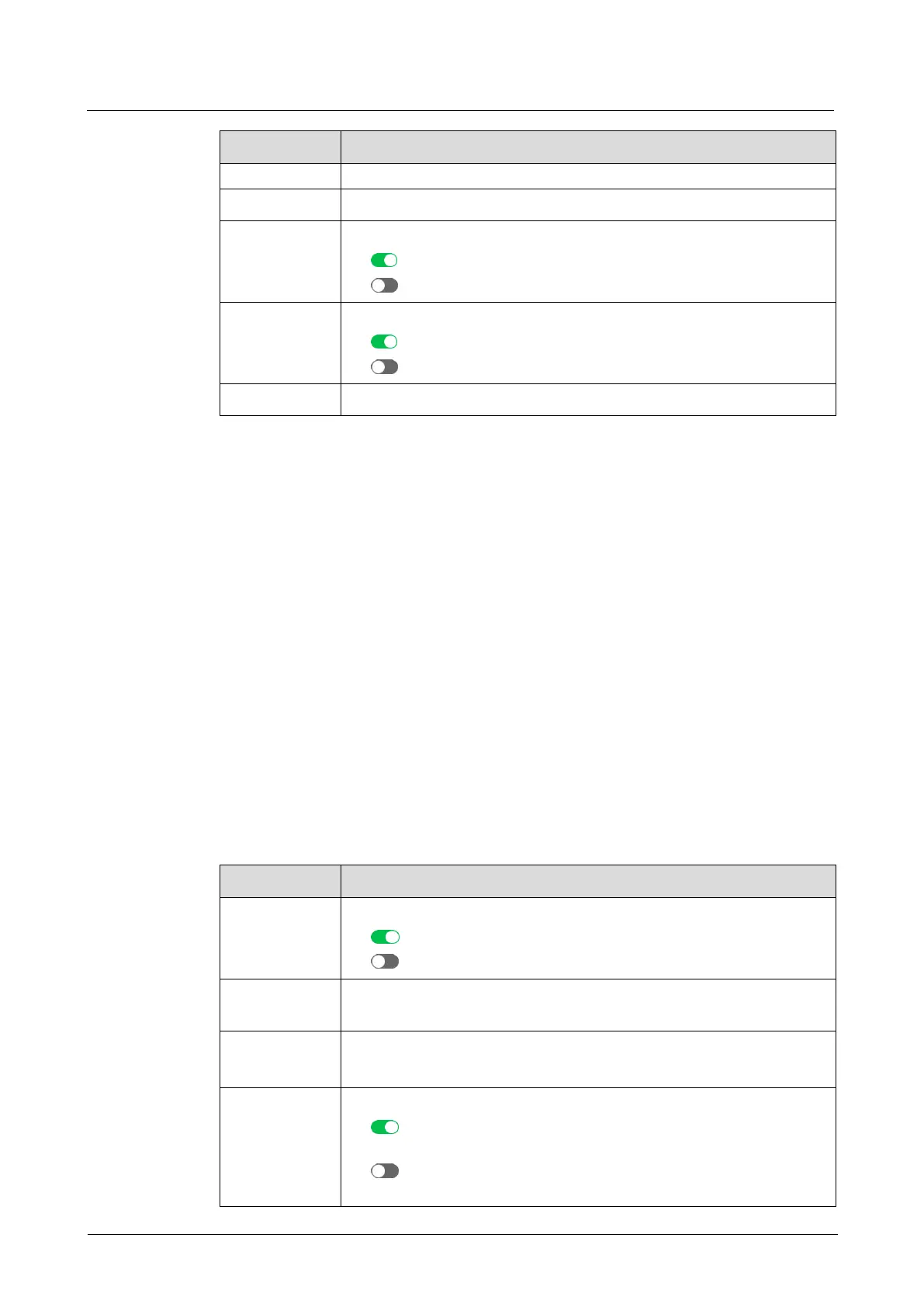
Turn on or turn off the function.
: On
: Off
The input source type of the Cut layer
The input source of the Cut layer
Turn on or turn off the invert colors function.
: On, allowing black areas to be transparent and white areas to
be cut
: Off, allowing white areas to be transparent and black areas to
be cut



 To Next Page