All-New Event Presentation Switching Solutions
User Manual
The maximum resolution of a single BKG file is 65536×65536 pixels.
Menu Orientation
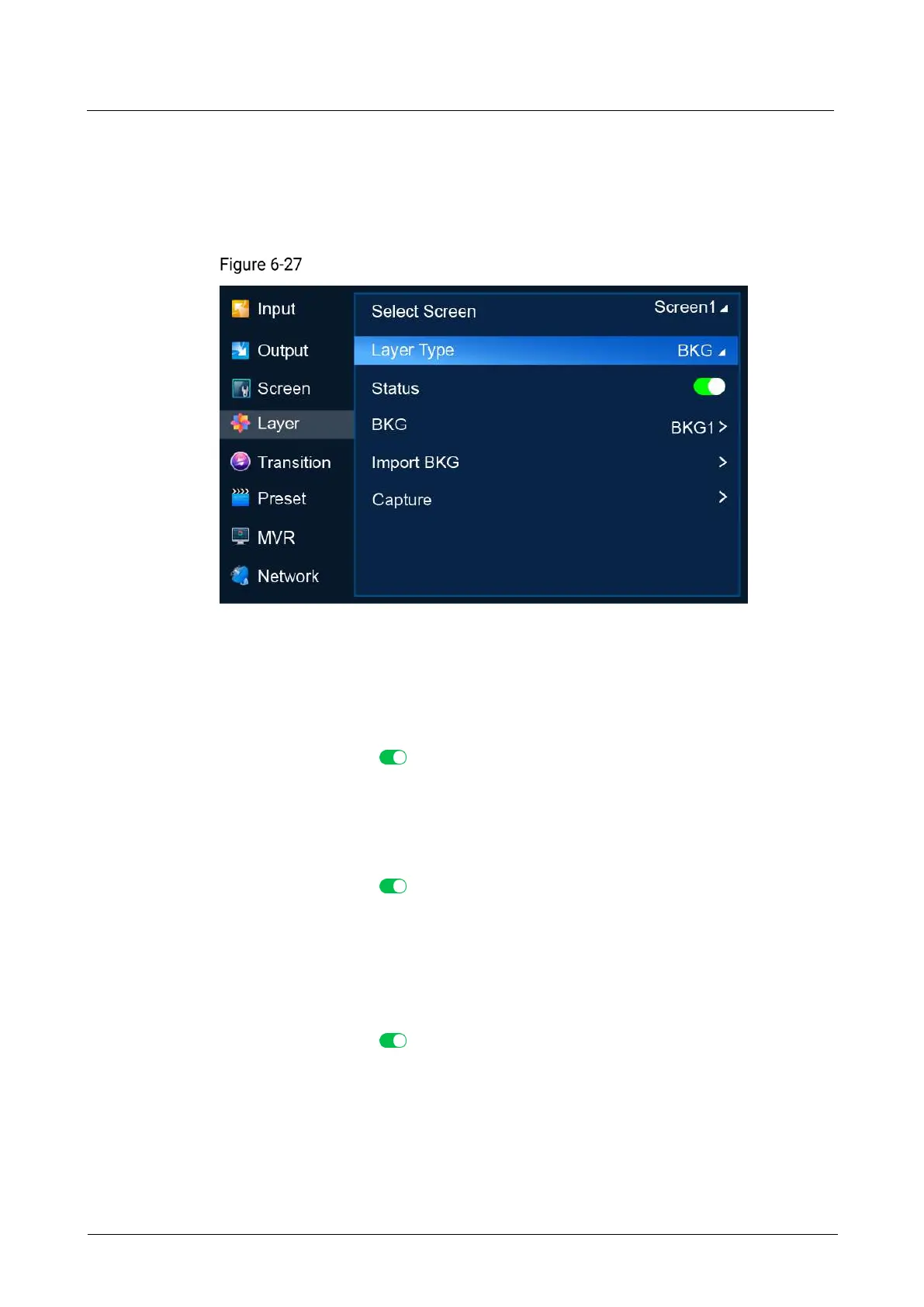
On the main menu screen, scroll to and select Layer.
BKG (P20)
Description
Select a common screen, set the layer type to BKG, and then do the following as
required.
Apply BKG
a. Turn on BKG. ( )
b. Select BKG to open the BKG file screen.
c. Select a BKG file. In the dialog box that appears, select Apply to use the BKG
file as the background image of the common screen.
Export BKG
a. Turn on BKG. ( )
b. Select BKG to open the BKG file screen.
c. Select a BKG file. In the dialog box that appears, select Export.
d. In the dialog box that appears, select OK to export the BKG file to the root
directory of the USB drive.
Delete BKG
a. Turn on BKG. ( )
b. Select BKG to open the BKG file screen.
c. Select a BKG file. In the dialog box that appears, select Delete.
d. In the dialog box that appears, select OK to delete the BKG file.
Import BKG
a. Select BKG Import to open the BKG file list screen.



 To Next Page