All-New Event Presentation Switching Solutions
User Manual
Set AUX Layers
6.1.6.4.1 Create and Delete Layers
Create, delete and clear AUX layers. The LCD menus of P20 are used as examples in
this section for illustration.
Menu Orientation
On the main menu screen, scroll to and select Layer.
Description
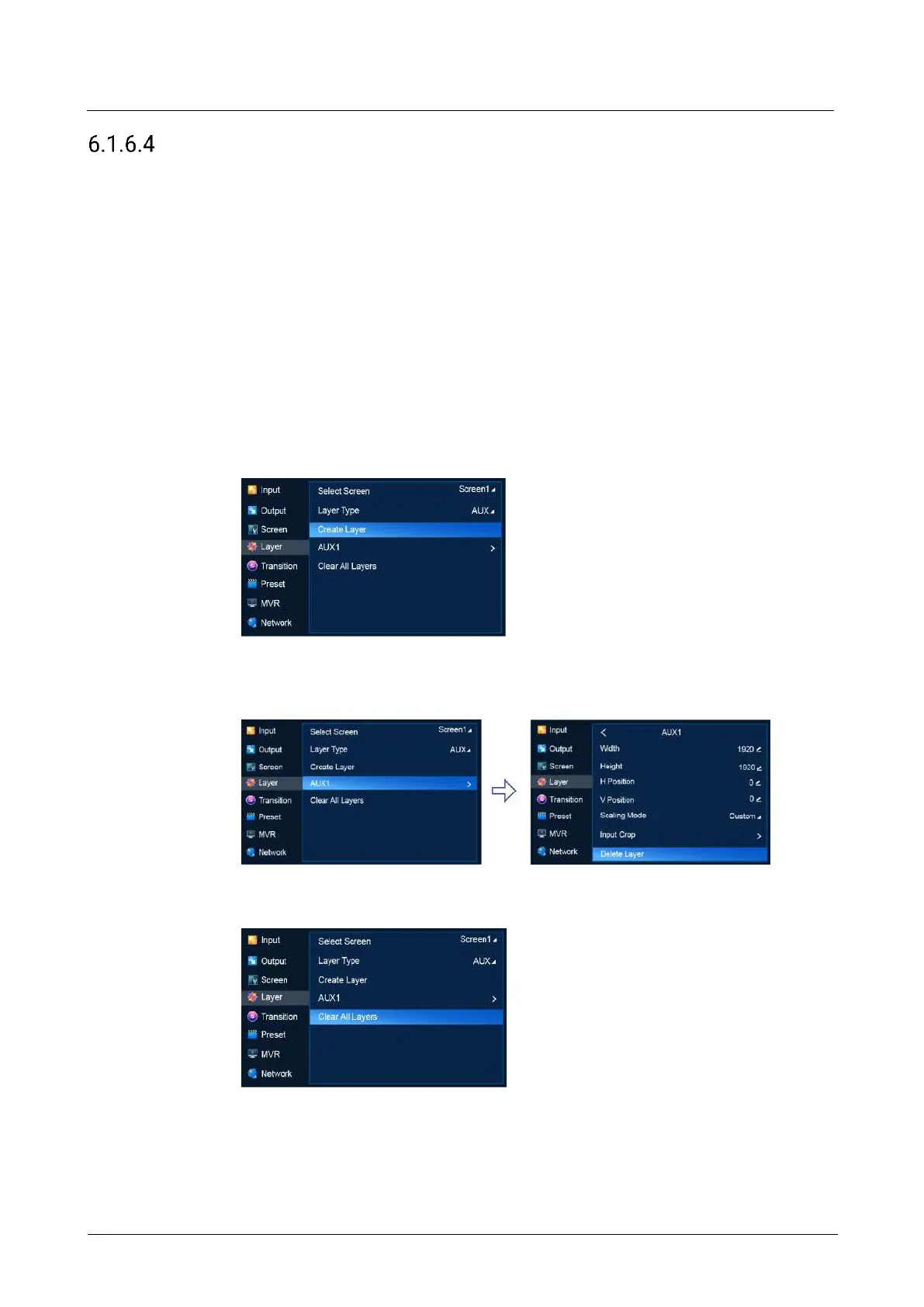
Select an AUX screen, set Layer Type to AUX, and then do the following as required.
Create an AUX layer
Select Create Layer.
Delete a AUX layer
Select the layer to be deleted to access the sub-menu and then select Delete
Layer.
Clear AUX layers
Select Clear All Layers.
6.1.6.4.2 Set Basic Information
Set the basic information of AUX layers.



 To Next Page