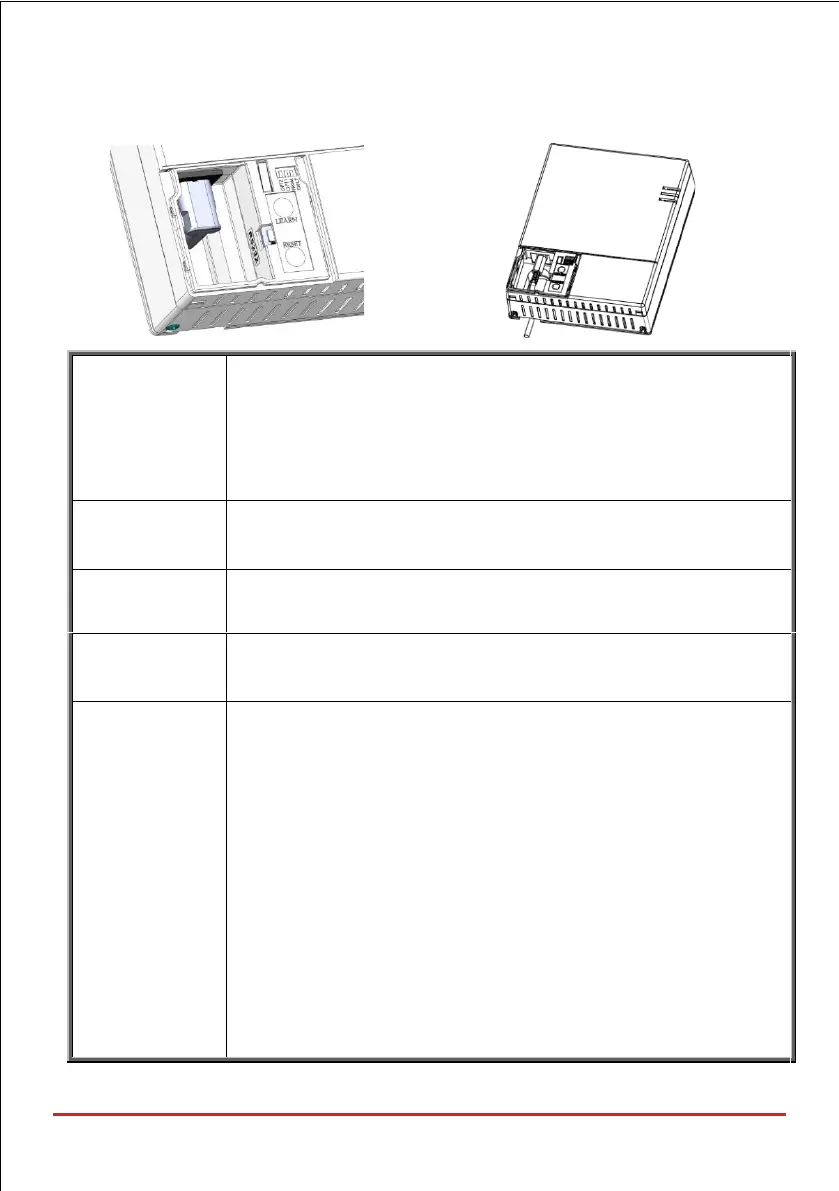
Used for local allocation of wireless device. To enter local
programming mode, press the button for 5 seconds. The unit beeps
once and enters “Learn” mode. The LEDs light up in Green one
after the other. To exit "Learn" mode short-press the LEARN
button; the unit beeps once and the LEDs stop flashing
Pressing on the RESET button for 20 seconds will reset the
power supply for the main unit (Both AC and battery)
Used to indicate tamper alarm when opening the front cover.
Use this connector for local programming using the
configuration software
OPT1: Future use
OPT2: Future use
PRGM: Enables loading local software updates to the
WiComm Pro.
• ON: software updates to the WiComm Pro can be loaded
• OFF (Default): software updates to the WiComm Pro cannot be
loaded
DFLT: Default jumper: Used when performing the following:
To return installer, sub-installer and grand master codes to
their default factory values. Set this DIP switch to ON,
disconnect all power and then reconnect the power. Note the
code length does not change



 To Next Page