Page 71
Keypads
The system can support up to 3 wireless keypads. The types supported are the Wireless
LCD keypad (for installer only), and the Wireless 2-Way Slim Keypad (both indoor and
outdoor models).
For detailed information regarding the operation of the keypads refer to the instructions
supplied with the product.
Parameters
A label identifying the keypad
The internal ID number of the keypad. Each wireless device has its own unique serial
number. Placing ID 00000000000 will delete the remote keypad.
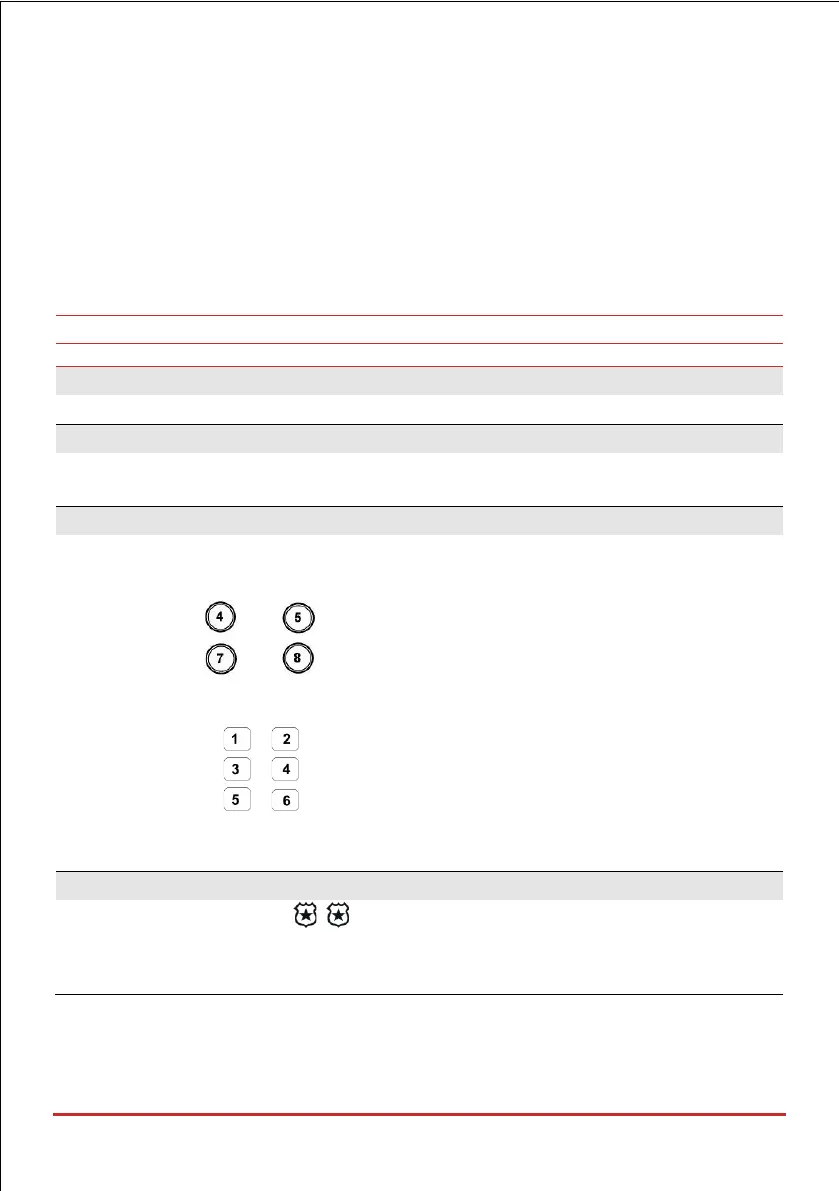
Defines whether the following keys will operate as emergency keys
LCD Keypad:
• Press Keys and simultaneously to send a fire alarm
• Press Keys and simultaneously to send an emergency alarm
Slim Keypad:
• Press buttons + simultaneously for two seconds to send a panic alarm
• Press buttons + simultaneously for 2 seconds to send a fire alarm
• Press buttons + simultaneously for 2 seconds to send an emergency /
medical alarm
Function Key (Only for the Wireless LCD Keypad)
Defines the operation of the keys for each keypad.
• Disable: Keys disabled
• Panic: Send a panic alarm to the monitoring station



 To Next Page