(2)
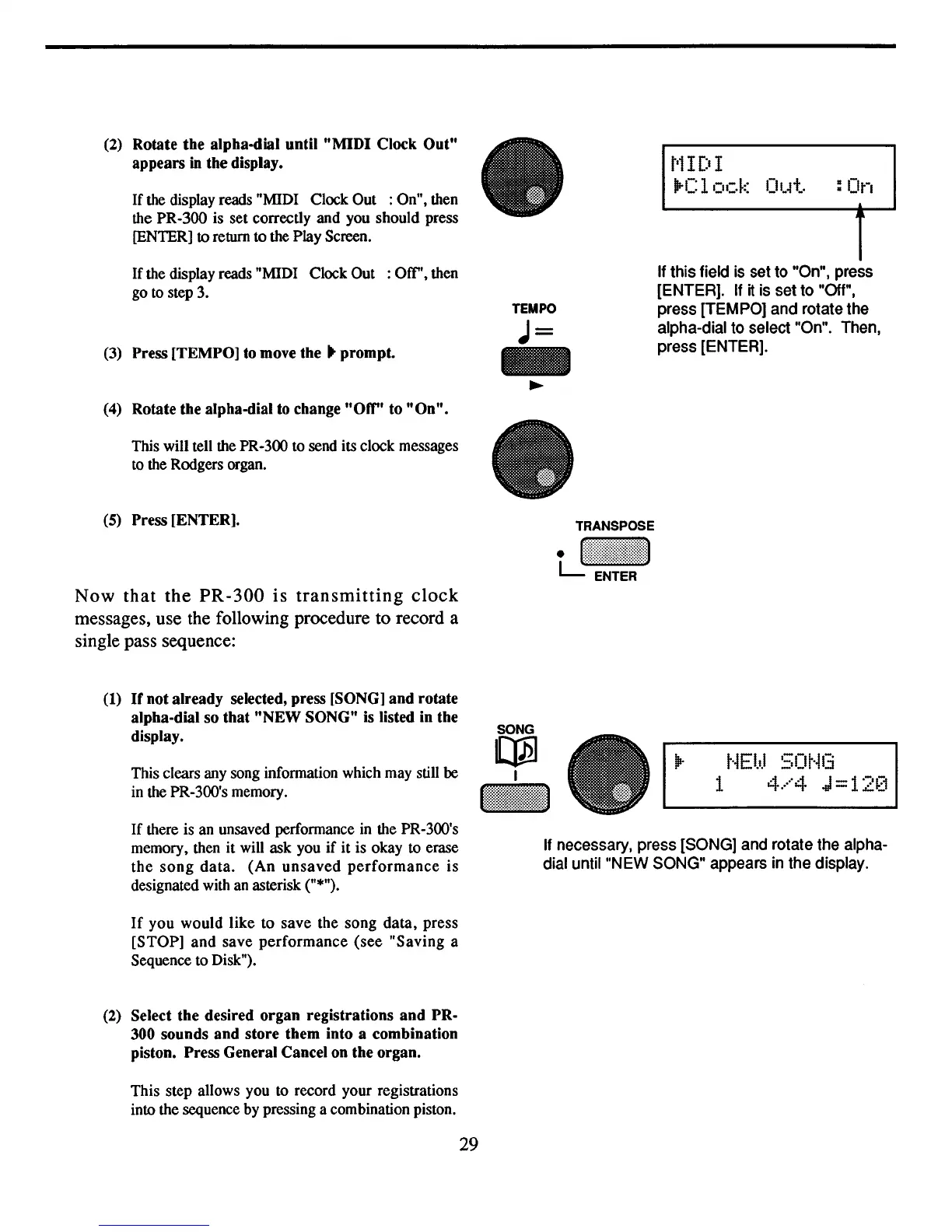
Rotate the alpha-dial until "MIDI Clock Out"
appears
in the display.
If
the display reads "MIDI Clock Out : On", then
the PR-300 is set correctly and you should press
[ENTER]
to
return to the Play Screen.
t'l
IDI
lire
lock
CIt"+"
:On
If
the display reads "MIDI Clock Out :
ocr',
then
go
to
step 3.
(3)
Press [TEMPO] to move the .. prompt.
(4)
Rotate the alpha-dial
to
change"Off" to
"On"
•
This will tell the PR-300 to send its clock messages
to
the Rodgers organ.
(5)
Press [ENTER].
Now
that
the
PR-300
is
transmitting
clock
messages, use the following procedure to record a
single pass sequence:
TEMPO
J=
-
~
TRANSPOSE
tJI:::;~l!ll:l\~
If this field
is
set to "On", press
[ENTER].
If
it
is set to "Off",
press [TEMPO] and rotate the
alpha-dial to select "On". Then,
press [ENTER].
(1)
If
not already selected, press [SONG] and rotate
alpha-dial so that "NEW SONG"
is
listed in the
display.
This clears any song information which may still
be
in the PR-300's memory.
SONG
~
I
t·iEl.d
50t·il3
1
4.····4
-01=12[1
If
there is an unsaved performance
in
the PR-300's
memory, then it will ask you if it is okay to erase
the
song
data.
(An
unsaved
performance
is
designated with an asterisk ("*").
If
you would like to save the song
data,
press
[STOP]
and
save
performance
(see
"Saving
a
Sequence to Disk").
(2)
Select the desired organ registrations and PR-
300 sounds and store them into a combination
piston. Press General Cancel
on
the organ.
This step allows you to record your registrations
into the sequence by pressing a combination piston.
29
If
necessary, press [SONG] and rotate the alpha-
dial until "NEW SONG" appears in the display.



 To Next Page