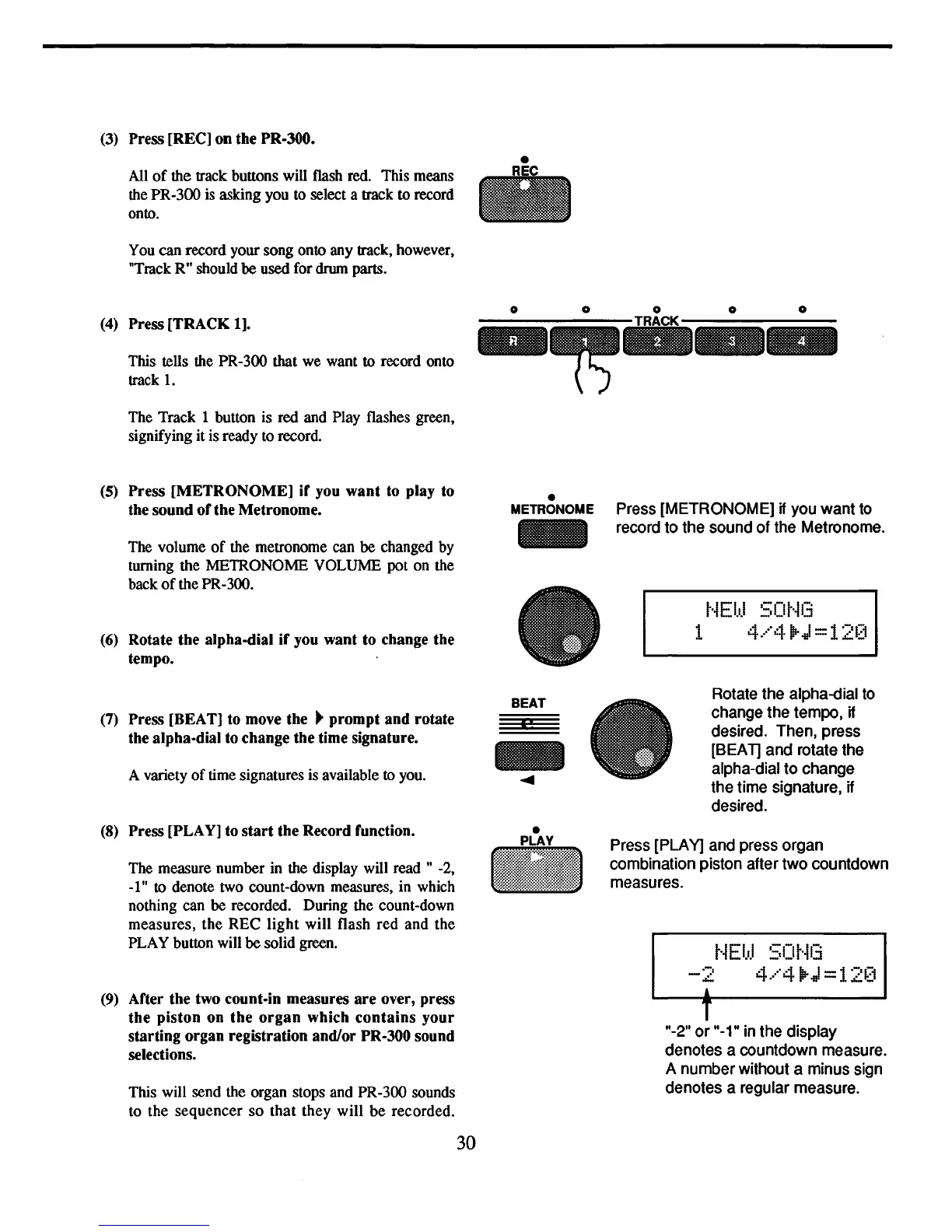
(3) Press
[RECl
on
the
PR-300.
All
of
the track buttons will flash red. This means
the PR-300 is asking you to select a track to record
onto.
You can record your song onto any track, however,
"Track R" should
be
used for drum parts.
(4) Press
[TRACK
1].
This tells the PR-300 that we want to record onto
track
1.
The Track 1 button is red and Play flashes green,
signifying it is ready to record.
(5)
Press
[METRONOME]
if
you
want
to play to
the
sound
of
the
Metronome.
The volume
of
the metronome can
be
changed by
turning the METRONOME VOLUME pot on the
back
of
the PR-300.
(6) Rotate
the
alpha-dial
if
you
want
to
change
the
tempo.
(7) Press [BEAT] to move
the
..
prompt
and
rotate
the alpha-dial to change
the
time signature.
A variety
of
time signatures is available to you.
(8) Press [PLAY] to
start
the
Record function.
The measure number in the display will read " -2,
_lit
to denote two count-down measures, in which
nothing can be recorded. During the count-down
measures,
the
REC
light
will flash red and the
PLAY button will
be
solid green.
(9) After
the
two count-in measures
are
over, press
the
piston
on
the
organ
which
contains
your
starting
organ
registration and/or PR-300 sound
selections.
This will send the organ stops and PR-300 sounds
to the sequencer
so
that
they will
be
recorded.
30
•
METRONOME
-
BEAT
«!
-
....
•
•
Press [METRONOME] if you want to
record to the sound of the Metronome.
t·iEI.rJ
50t·il3
1
4.····411r.J=12~]
Rotate the alpha-dial to
change the tempo,
if
desired. Then, press
[SEA
1] and rotate the
alpha-dial
to
change
the time signature,
if
desired.
Press [PLAY] and press organ
combination piston after two countdown
measures.
t·iEl.d
50t¥3
-2
4.····411r.J=12[i
j
T
1t_2
1t
or
1t_1"
in the display
denotes a countdown measure.
A number without a minus sign
denotes a regular measure.



 To Next Page