TEMPO
J=
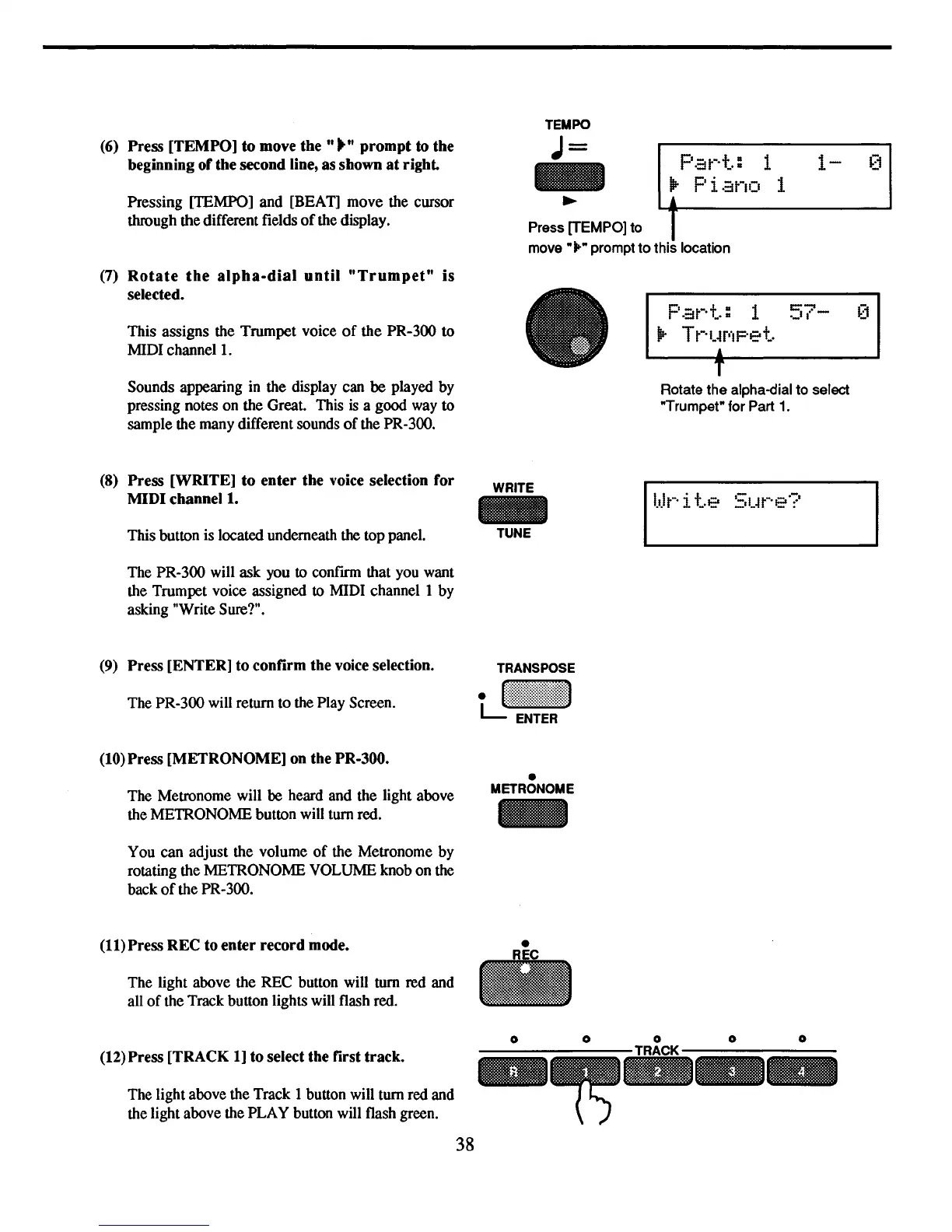
(6) Press
[TEMPO]
to
move
the"""
prompt
to
the
beginning
of
the second line, as shown
at
right.
Pressing [TEMPO] and [BEAT] move the cursor
through the different fields
of
the display.
Pat-·+":
1
lP-
Piano
1
~
L.4---!------
__
--I
Press [TEMPO] to I
move·
...
• prompt
to
this location
(7)
Rotate
the
alpha-dial
until
"Trumpet"
is
selected.
This assigns the Trumpet voice
of
the PR-300
to
MIDI
channell.
Sounds appearing in the display can
be
played by
pressing notes on the Great. This
is
a good way
to
sample the many different sounds
of
the PR-300.
P
.::it-·+":
1
57-
~~1
lP-
Tt-·I.~r··IF"e+..
,
T
Rotate the alpha-dial to select
·Trumpet· for Part
1.
(8)
Press
[WRITE]
to
enter
the
voice selection
for
MIDI
channell.
This button is located underneath the top panel.
The PR-300 will ask you to confirm that you want
the Trumpet voice assigned to MIDI channel 1 by
asking "Write Sure?".
(9) Press [ENTER]
to
confirm the voice selection.
The PR-300 will return to the Play Screen.
(10) Press
[METRONOME]
on the PR-300.
The Metronome will
be
heard and the light above
the METRONOME button will turn red.
You can adjust the volume
of
the Metronome by
rotating the METRONOME VOLUME knob on the
back
of
the PR-300.
(11) Press
REC
to
enter
record
mode.
The light above the REC button will turn red and
all
of
the Track button lights will flash red.
(12)Press [TRACK 1] to select the first
track.
The light above the Track 1 button will turn red and
the light above the PLAY button will flash green.
38
WRITE
-
TUNE
TRANSPOSE
tJ:::j::!:~j:!j::::i
•
METRONOME
o
-
Il.o.lPite
Sl.~t··e?



 To Next Page