(13) Rotate the alpha-dial
to
select a different tempo,
if
desired.
If
the " .... prompt isn't located next to the tempo
indication in the display, press [TEMPO] before
rotating alpha-dial.
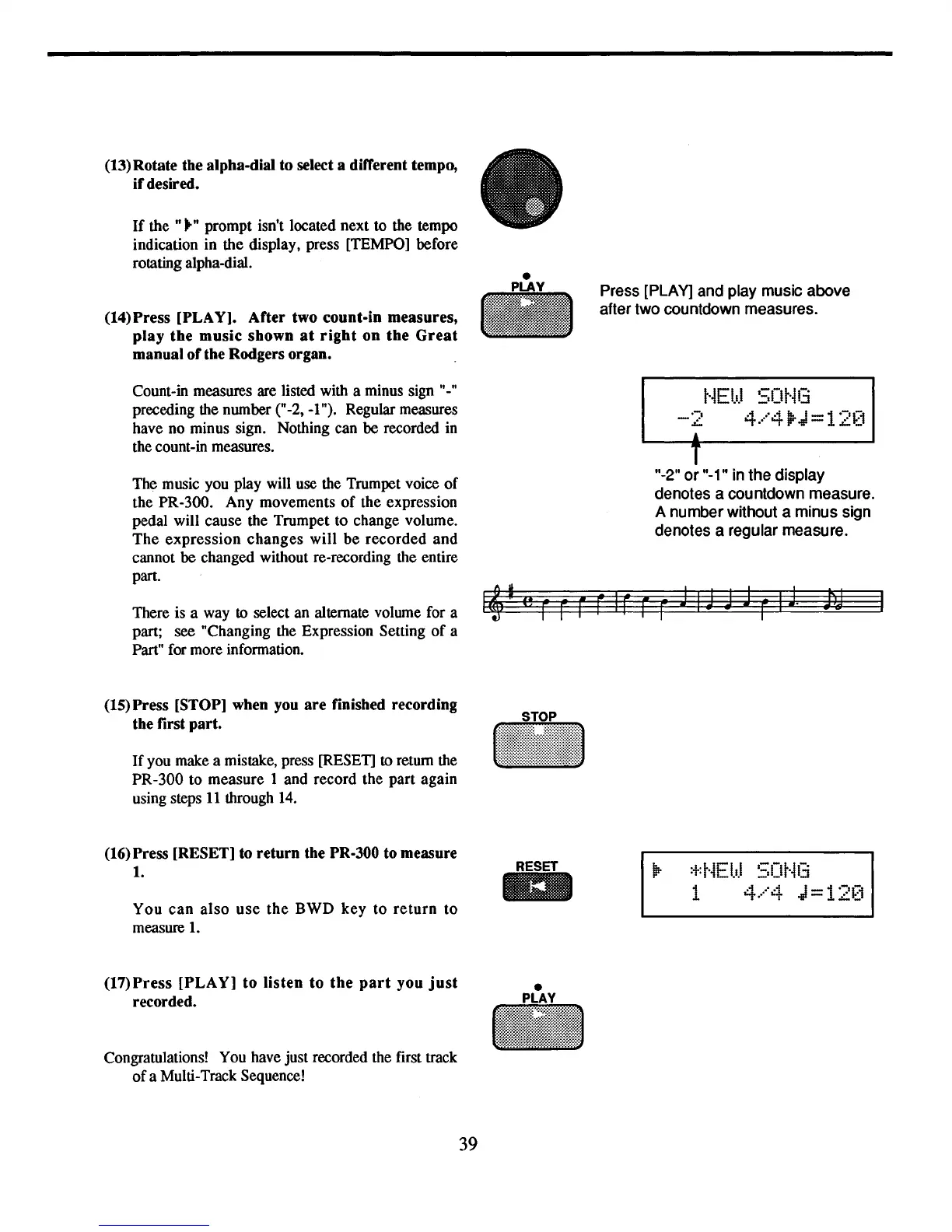
(14) Press [PLAY]. After two count-in measures,
play
the
music
shown
at
right
on
the
Great
manual
of
the Rodgers organ.
Press [PLAY] and play music above
after two countdown measures.
Count-in measures are listed with a minus sign "-"
preceding the number ("-2, -I"). Regular measures
have no minus sign. Nothing can be recorded in
the count-in measures.
The music you play will use the Trumpet voice
of
the PR-300. Any movements
of
the expression
pedal will cause the Trumpet to change volume.
The
expression
changes
will
be
recorded
and
cannot be changed without re-recording the entire
part.
There is a way
to select an alternate volume for a
part; see "Changing the Expression Setting
of
a
Part" for more information.
(15) Press [STOP] when you
are
finished recording
the first part.
If
you make a mistake, press [RESET] to return the
PR-300 to measure 1 and record the part again
using steps
11
through
14.
t·iEI.I.I
SOt'113
-2
4.···"4l1rJ
==
12~~1
&
T
"·2"
or
"-1" in the display
denotes a countdown measure.
A number without a minus sign
denotes a regular measure.
..
(16) Press [RESET] to
return
the PR-300 to measure
1.
You
can
also
use
the
BWD
key
to
return
to
measure
1.
(17)
Press
[PLAY]
to
listen
to
the
part
you
just
recorded.
Congratulations! You have just recorded the first track
of
a Multi-Track Sequence!
39
:+:t·iEb.l
SOt·i13
1
.-1
"4 J-1'-'1-1
'-t
..
'
_.'~'
.....
-



 To Next Page