You
can save the sequence at
any
time during the
recording process. To save a sequence, follow the
instructions in the section, "Saving a Sequence to
Disk".
Now it's time to begin recording the sequence:
(1)
On the Rodgers organ,
turn
on the MIDI ON
GREAT* coupler.
*This
coupler
is
labeled
MIDI
GREAT
A
on
Rodgers 945 consoles.
Make sure no other stops or couplers are selected
on your Rodgers organ.
(2) Verify that the
MIDI
ON
GREAT coupler
is
set
to send onMIDI
channell.
This
is
the
default
channel
for the MIDI ON
GREAT coupler, although the coupler can be set to
send on any of the
16
MIDI channels.
For
further
information,
see
"Channel
Reassignment" in your organ's MIDI Phase III
Manual.
(3)
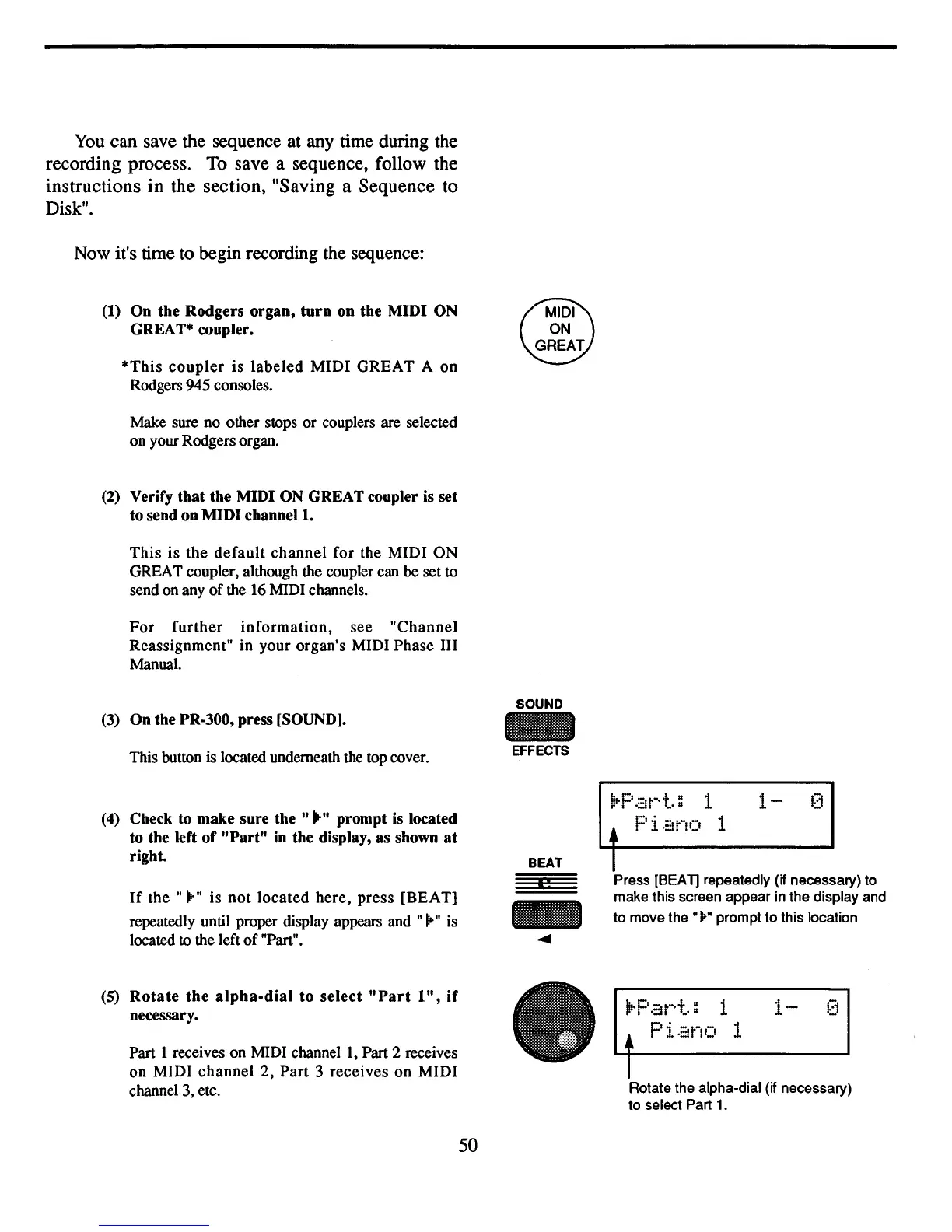
On the PR-300, press [SOUND).
This button is located underneath
the
top cover.
(4)
Check to make sure
the"""
prompt
is
located
to the left of
"Part"
in
the display, as shown
at
right.
If
the"
...
" is
not
located
here,
press [BEAT)
repeatedly until proper display appears
and""-" is
located
to
the left
of
"Part".
(5)
Rotate
the
alpha-dial
to select
"Part
1",
if
necessary.
Part 1 receives on MIDI
channell,
Part 2 receives
on MIDI
channel
2,
Part
3 receives on MIDI
channel
3,
etc.
50
SOUND
EFFECTS
BEAT
I!
-
....
.Part=
1
1-
0
•
Piano
1
I
Press [SEA1] repeatedly (if necessary) to
make this screen appear in the display and
to move the
"..-"
prompt to this location
lIrP
.::Jt-·t
= 1
1-
[1
• Pi.::Jno 1
I
Rotate the alpha-dial (if necessary)
to select Part
1.



 To Next Page