1-
TEMPO
J=
-
Pat-·t.: 1
~
Pi.::ino 1
~
L..
....
.l
---I
Press [TEMPO] to 1
move
"~"
prompt
to
this location
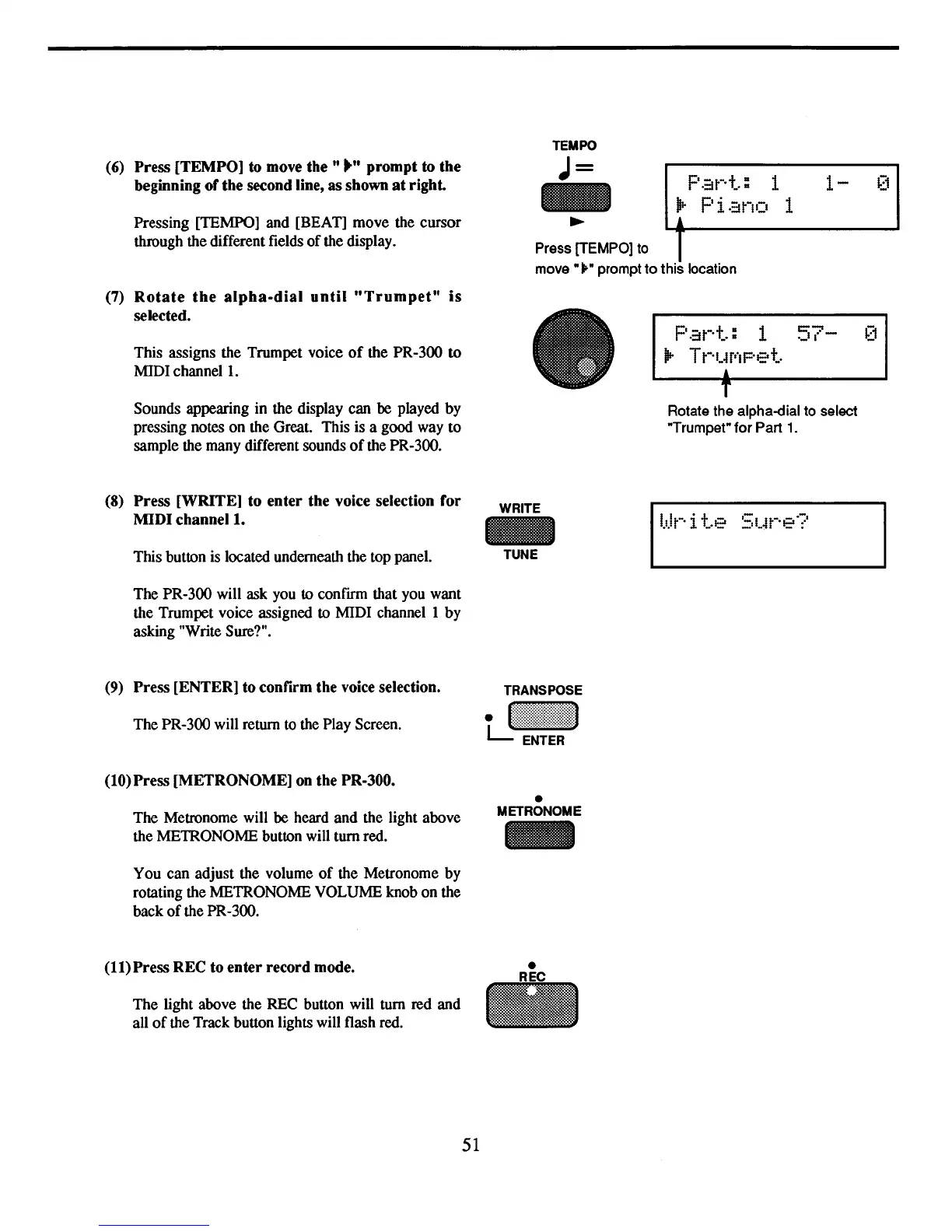
Pressing [TEMPO] and [BEAT] move the cursor
through the different fields
of
the display.
(6)
Press [TEMPO] to move
the"
.... prompt to the
beginning ofthe second line, as shown
at
right.
(7)
Rotate
the
alpha-dial
until
"Trumpet"
is
selected.
This assigns the Trumpet voice
of
the PR-300 to
MIDI channel
1.
Sounds appearing in the display can
be
played by
pressing notes on the Great. This is a good way to
sample the many different sounds
of
the PR-300.
Pat-·t.: 1
57-
(1
iP-
T
t-·
'-~
P'I
pet.
,
T
Rotate the alpha-dial to select
"Trumpet" for Part
1.
(8)
Press [WRITE] to enter the voice selection for
MIDI
channell.
WRITE
This button is located underneath the top panel. TUNE
The PR-300 will ask you to confirm that you want
the Trumpet voice assigned to MIDI channel 1 by
asking "Write Sure?".
(9)
Press [ENTER] to confirm the
voice
selection.
The PR-300 will return to the Play Screen.
(10) Press [METRONOME]
on
the PR-300.
The Metronome will
be
heard and the light above
the METRONOME button will tum red.
•
METRONOME
You can adjust the volume
of
the Metronome by
rotating the METRONOME VOLUME knob on the
back
of
the PR-300.
(11) Press REC to enter record mode.
The light above the REC button will tum
red
and
all
of
the Track button lights will flash red.
51



 To Next Page