IIT-2000/2010/5000/5010 Instruction Manual/English
05/08/2015 Version No. 001 99
Automatic Test Page View
Pressing the PAGE key will show an overview of the tests for
the currently selected automatic test when in the VIEW status.
The Page View will show the order of the AUTO test steps as
well as the manual file name, function, test voltage/current and
HI/LO SET limits.
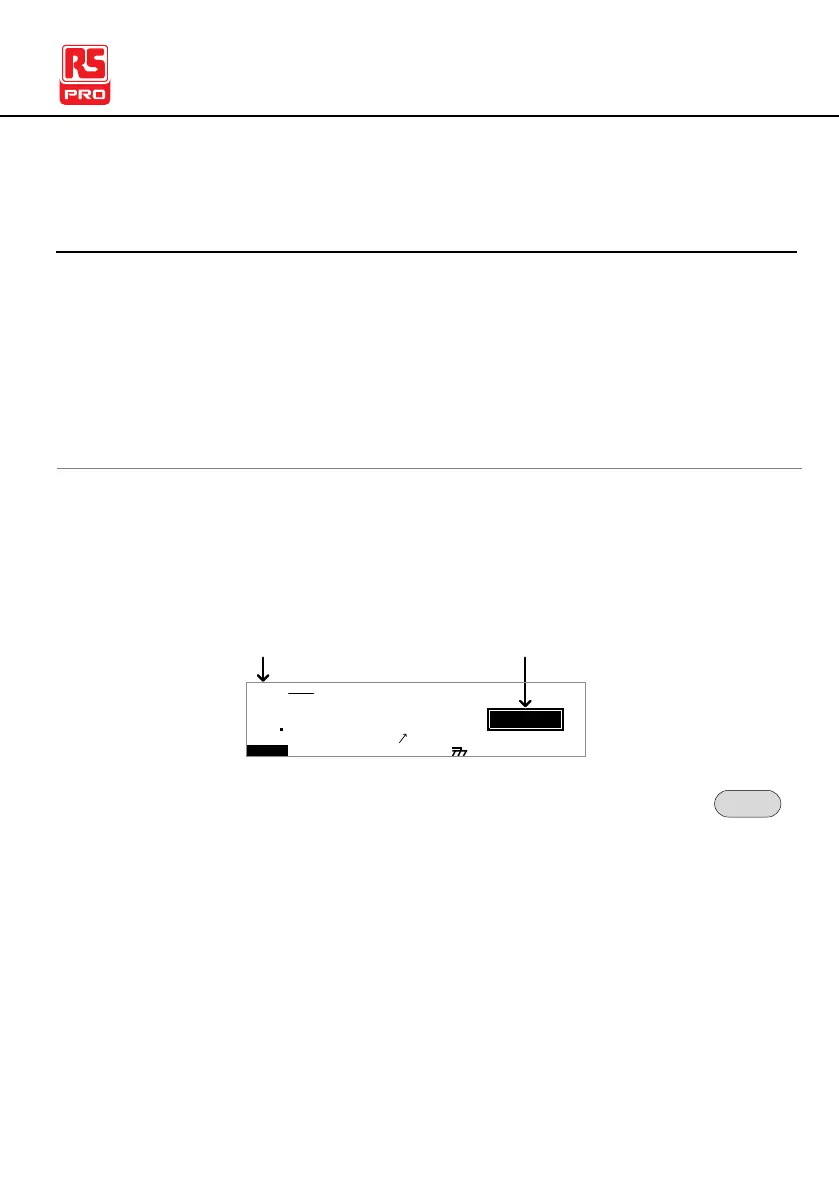
1. Ensure the tester has had an automatic test
saved and the tester is in AUTO mode/VIEW
status.
I R G B A CW D CW
E
F R E Q = 0 H z 6
0
100
k V
EIV
MT I E = 0 0 1 . 0 SR
0 0 m AER F =# 0 .0
1 . 0 0 m AIH ES = 0T
0 0 . 1 S0A M P =R
W
VIEW status
MA U OT N A_0A U T O = 0 0 1 - 1 0
AUTO mode
m A
2. Press the PAGE key to bring up the Page view of
the AUTO test.
All the test steps are shown on the bottom of the
screen along with the corresponding MANU
numbers. The top of the screen shows the selected
MANU test file name and the settings (test function,
test voltage, HI/LO SET).



 To Next Page