IIT-2000/2010/5000/5010 Instruction Manual/English
56 05/08/2015 Version No. 001
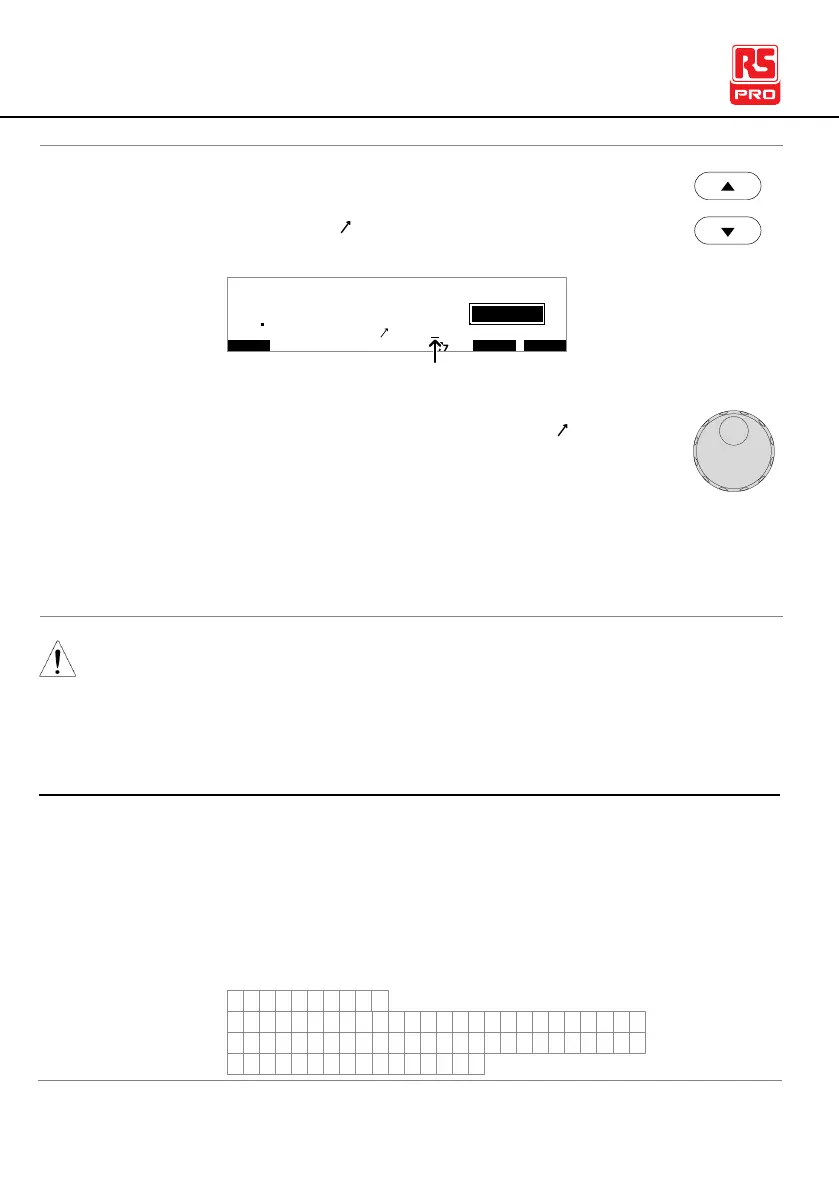
1. Use the UP/DOWN arrow keys to bring the cursor
to the RAMP setting.
I R G B
m A
A CW D C W I / LH O I M ET R
E
F R E Q = 0 H z 6
0
100
k V
IDE
MT I E = 0 0 1 . 0 SR
0 0 m AER F =# 0 .0MM A UN N A_
1 . 0 0 m A0L ES = 0T
0 0 . 1 S0A M P =R
T
2M A N U = * * * - 0 0
cursor
2. Use the scroll wheel to set the RAMP value.
000.1s~999.9s
000.1s~999.9s
000.1s~999.9s
The discharge time and initial test time cannot be edited.
Creating a MANU Test File Name
Each manual test can have a user-defined test file name
(default: MANU_NAME) up to 10 characters long. See the
character list below for the allowed characters.
0 1 2 3 4 5 6 7 8 9
W X Y ZM VO P RQ T USNLA B C D E F G H I J K
w x y zm vo p rq t usnla b c d e f g h i j k
+ - * / _ = : Ω ? ( ) < > [ ]



 To Next Page