IIT-2000/2010/5000/5010 Instruction Manual/English
52 05/08/2015 Version No. 001
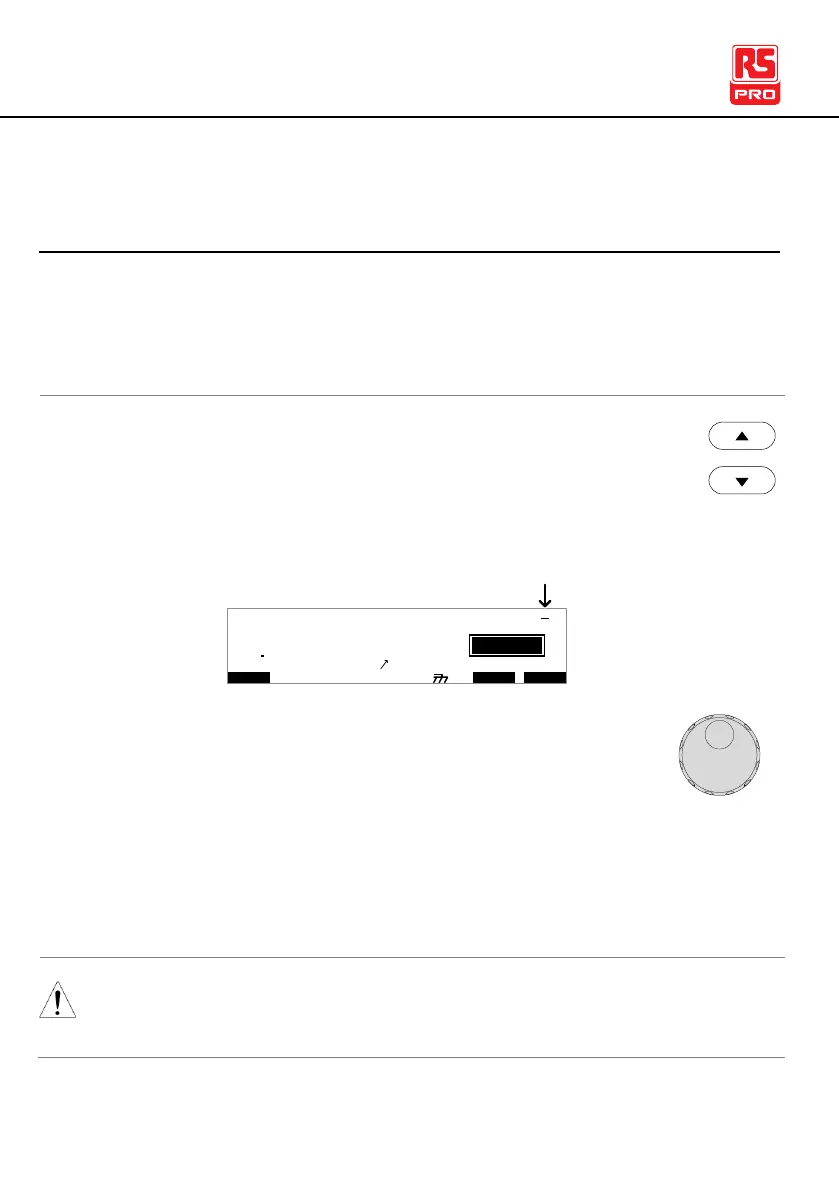
Setting a Reference Value
The REF# acts as an offset. The REF# value is subtracted
from the measured current (ACW, DCW) or measured
resistance (IR, GB).
1. Press the UP / DOWN arrow keys to bring the cursor
to the
REF# setting.
I R G B
m A
A CW D CW I / LH O I M ET R
E
F R E Q = 0 H z 6
0
100
k V
IDE
MT I E = 0 0 1 . 0 SR
0 0 m AER F =# 0 .0MM A UN N A_
1 . 0 0 m A0L ES = 0T
0 0 . 1 S0A M P =R
T
2M A N U = * * * - 0 0
cursor
2. Use the scroll wheel to set the REF# value.
0.000mA~HI SET current-0.1mA
0.000mA~HI SET current-0.1mA
0000MΩ~HI SETΩ-1MΩ
000.0mΩ~HI SETΩ-0.1mΩ
For GB tests, a reference offset can be automatically created
using the zeroing function. See page 83 for details.



 To Next Page